Purchase Orders Workflow
Invoice and billing information can also be registered by accounting personnel. The form used for this purpose is connected with your master data, making supplier info and banking details to be easily available. If delivery of goods and services is segmented, the billing form uses registered received goods and services, along with previously paid invoices, to ensure the correct amounts are paid and registered.
Accessing the Form
To access the form, designated users must:

- Press Purchase Orders from the Main Menu Bar.
- Select the corresponding purchase order from the Purchase Orders panel.
- Press the Declare Billing button to open the form.
Form Layout
The Billing form has the following layout and indicators:
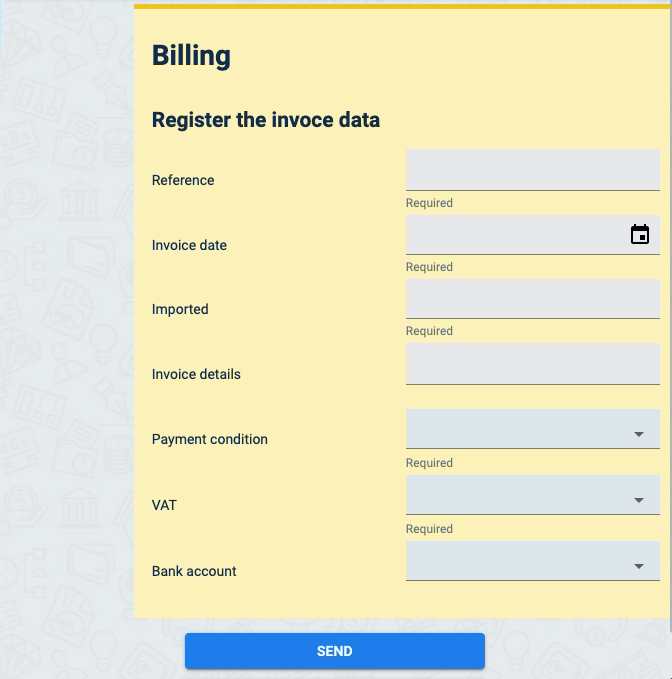
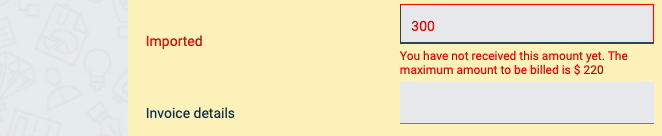
The Billing form is connected with your master data and the purchase order's details. In the example below, the accountant made a mistake inputting the imported amount, but the system displays an error message. This guarantees that billed amounts don't exceed received goods and services.
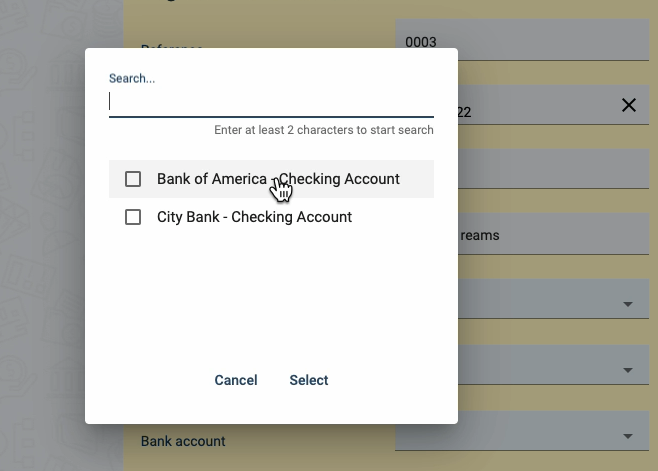
The supplier's bank details can also be accessed on the form.
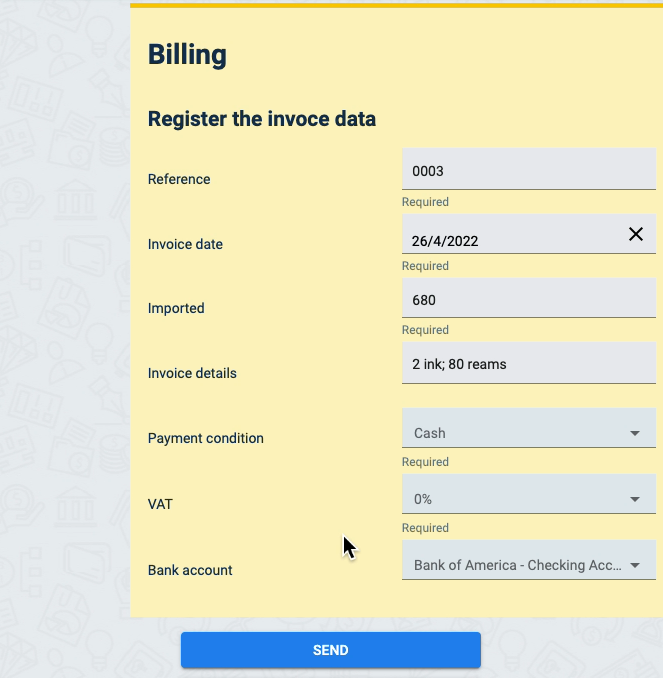
Below is a sample of a filled out Billing form.