Purchase Orders Workflow
Once purchased goods and services haven been delivered, the purchase order creator or supervisor can close the workflow. The workflow can also be closed if not all purchases could be delivered.
Accessing the Form
To access the form:
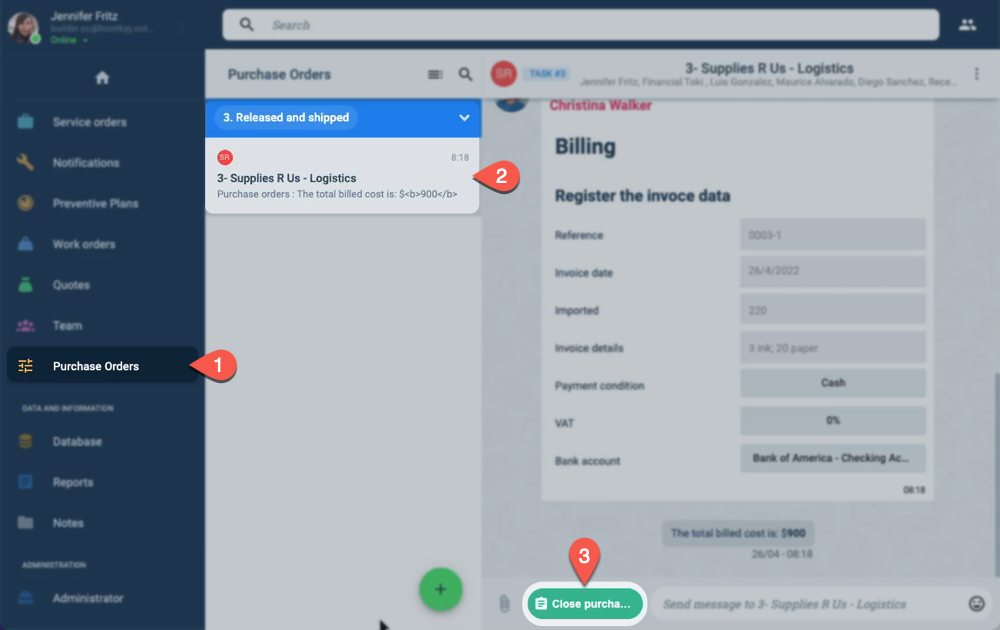
- Press Purchase Orders from the Main Menu Bar.
- Select the corresponding purchase order from the Purchase Orders panel.
- Press the Close Purchase Orders to open the form.
Form Layout
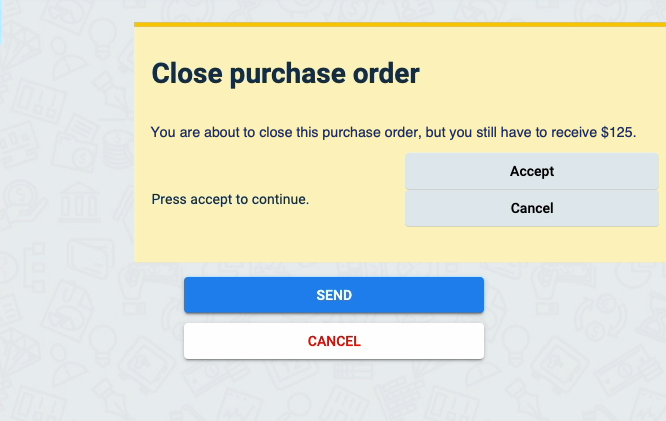
The Close Purchase Order appears as shown below:
note
If not all expected goods or services have been delivered, the Close purchase order form alerts you of the cost of the unreceived goods.