Purchase Orders Workflow
The Create Purchase Order form allows authorized users to request a purchase order. By submitting this form, the Purchase Order Workflow commences. The data gathered through this form will guide the entire process.
Accessing the Form
To access the Create Purchase Order form, follow the instructions below:
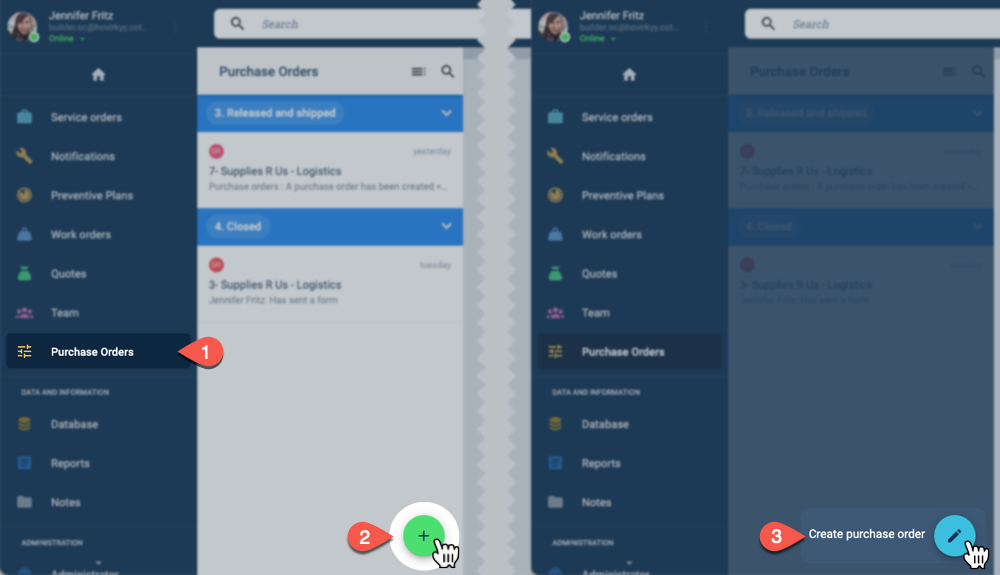
- From the Main Menu Bar, select Purchase Orders to open the Purchase Orders panel.
- Press the green the Action Button.
- Press the Create purchase order button. The form will open up as shown below.
Basic Form Layout
Below is the form's basic or default layout:

Contact us
Visit the customization page or contact a Cotalker Sales Representative for more information on how to customize surveys for your company's needs.