Service Orders Workflow
Layla's company provides IT and consulting services. Her boss has asked her to make a service order for a client who needs to fix their office computer network. They suspect there's a problem with the router. She will assign an IT technician to diagnose and repair the problem. Since they're not sure if the router has to be replaced or not, she isn't going to include it in the service order. If they need one, the technician can add it later on to the service order.
Create Service Order
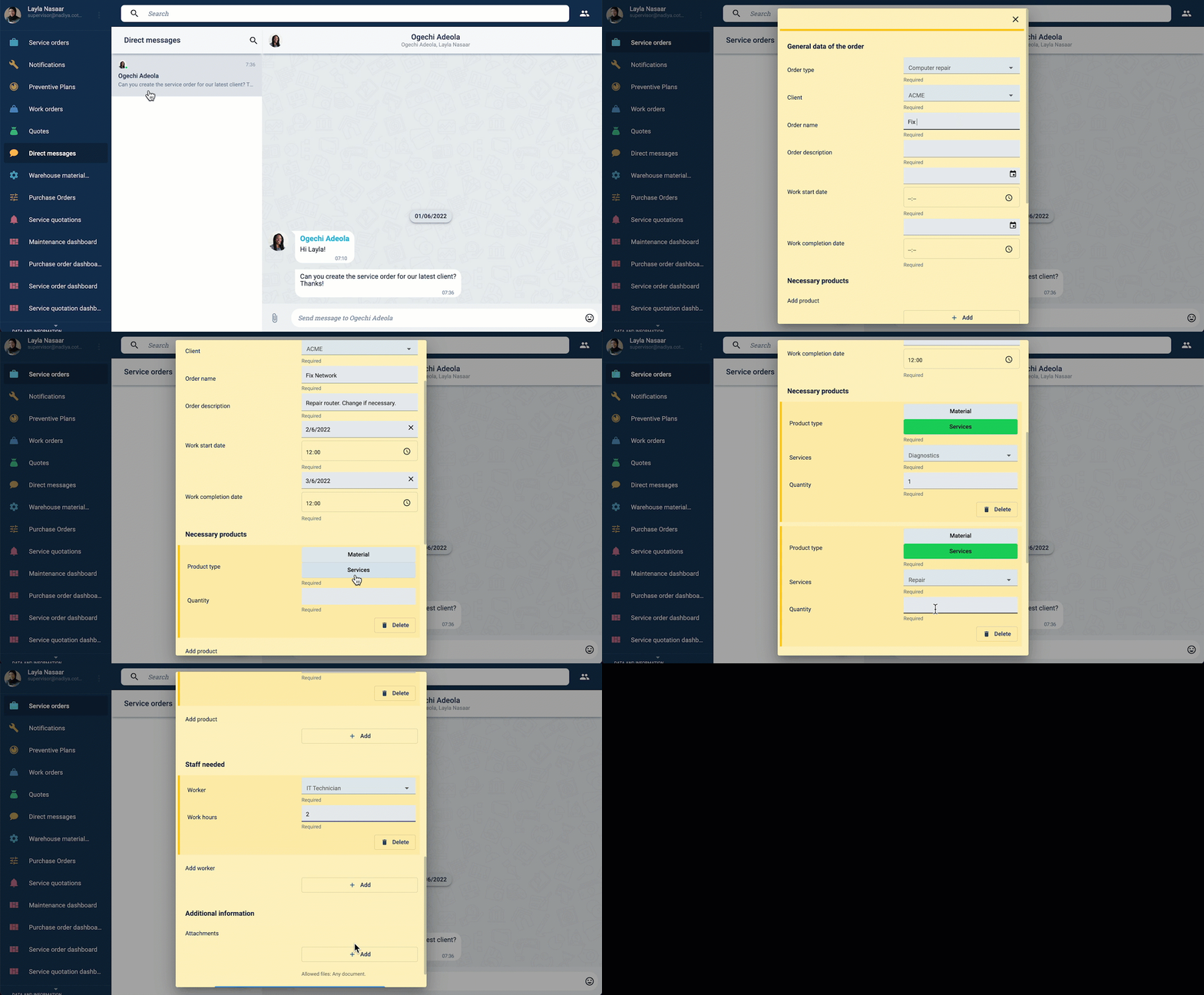
Layla opens the Service Orders section to create the requested service order with the available data. By pressing the green action button, she can open the initial form.
Service Order Release
Next, Ogechi, Layla's supervisor, has to review the service order for approval.
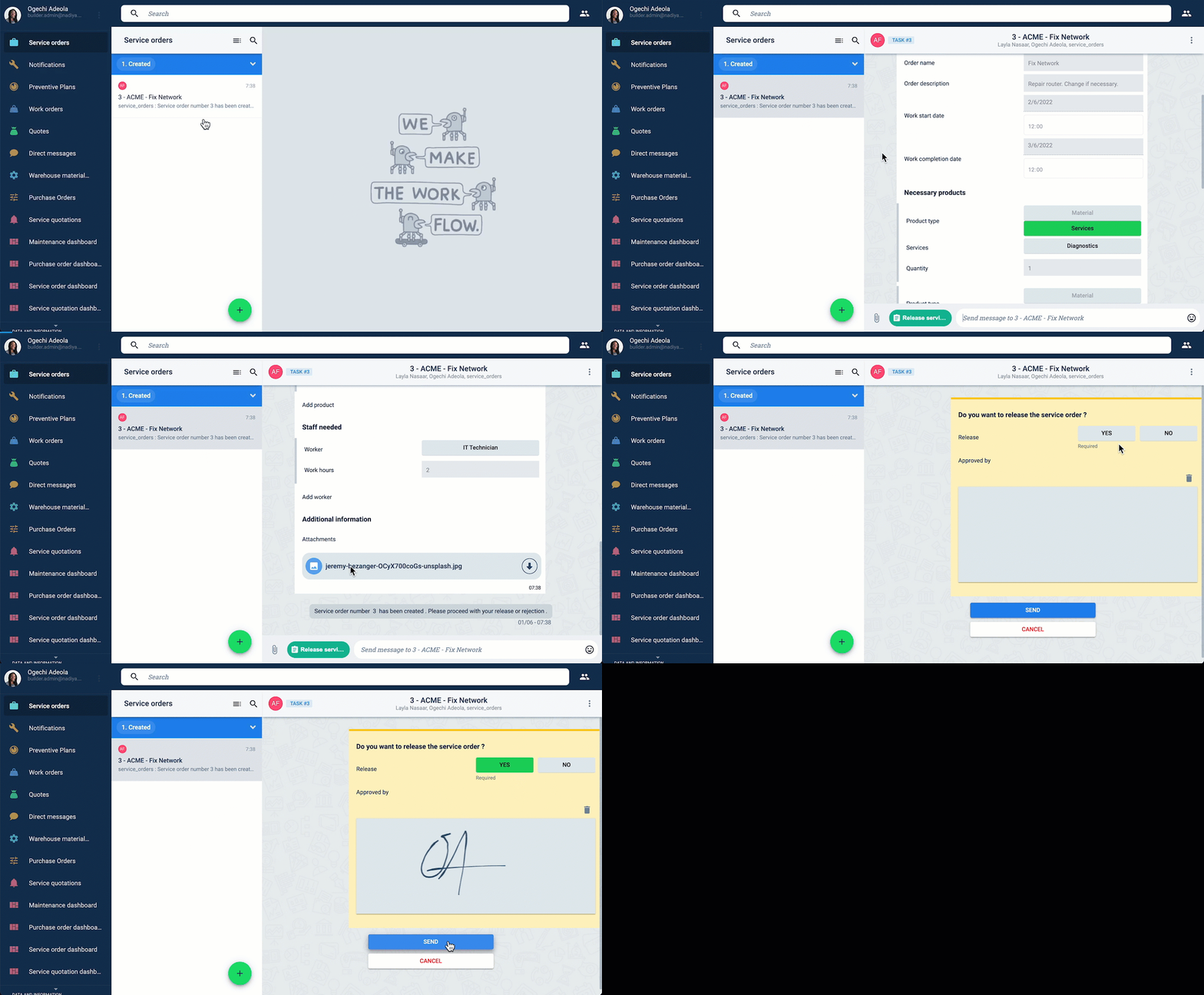
Once approved, the service order is released. A PDF document is automatically generated. Field workers can now be added to the workflow.
Service Order PDF
Ogechi checks the automatically generated service order PDF document.
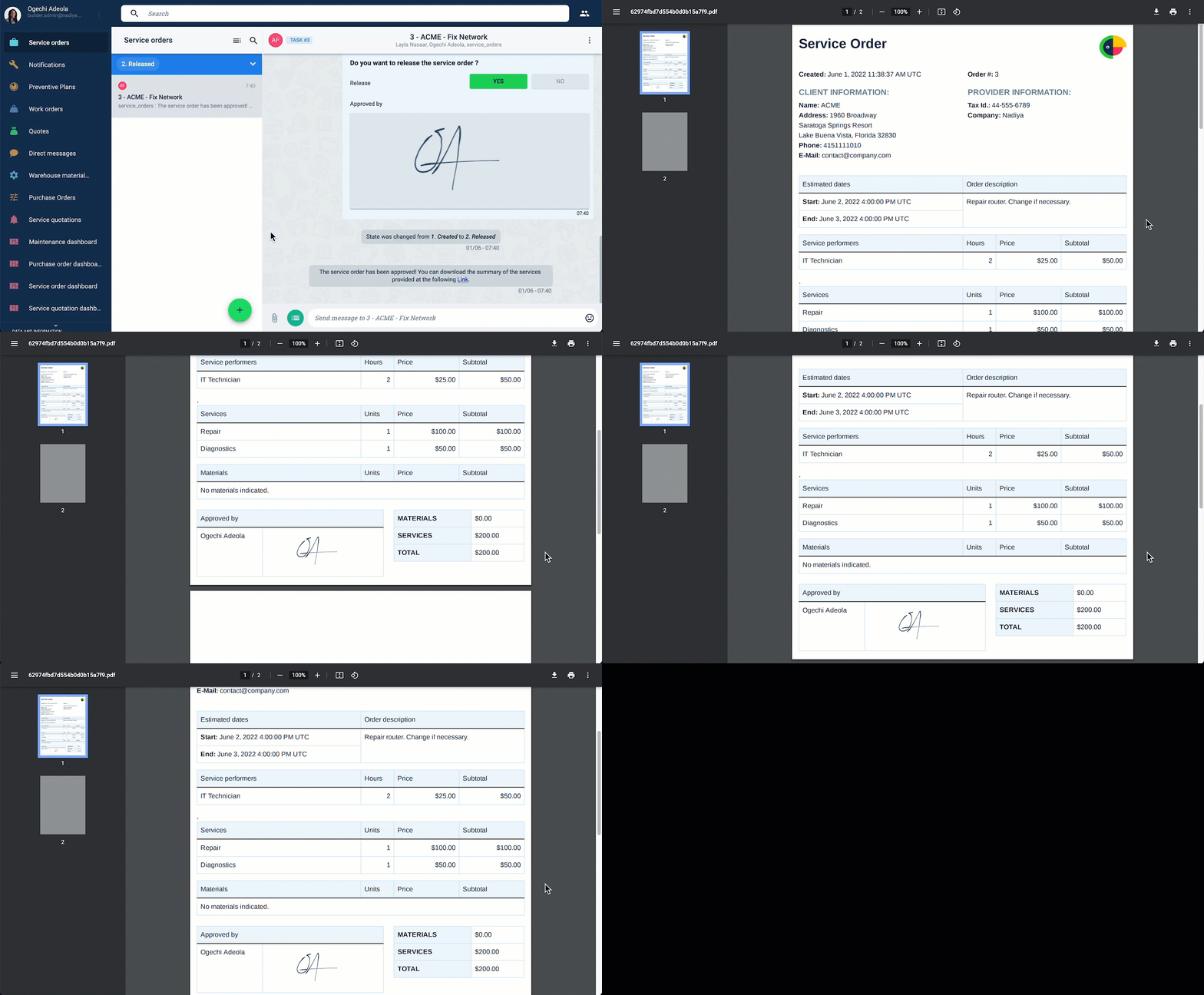
This PDF file contains all the necessary information clients and other stakeholders need. The file can be saved and sent manually. The workflow can also be customized to send the file automatically.
Field Workers
Diego, the IT technician, has been added to the workflow. He's going to check the service order from his mobile device.
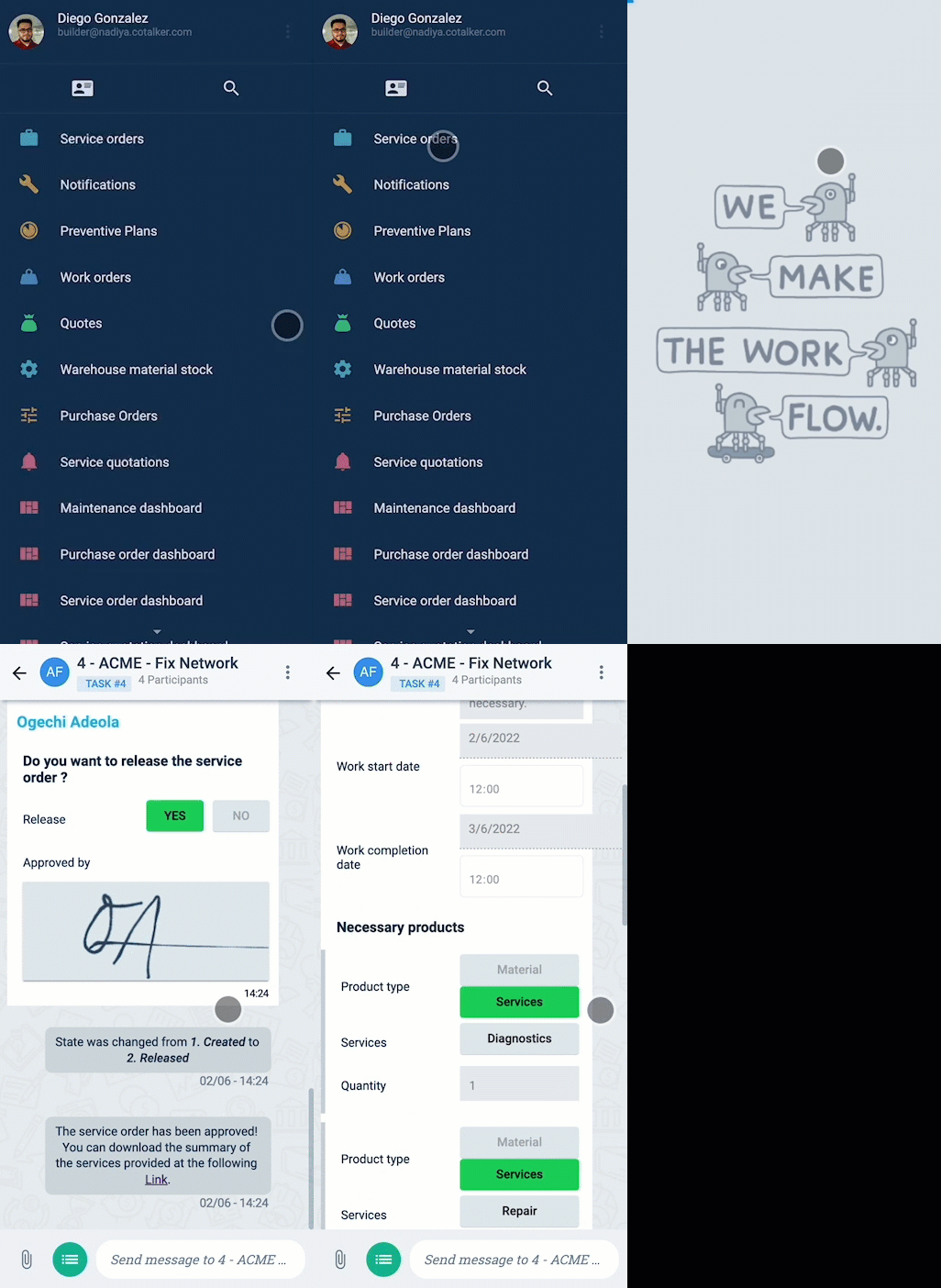
Field workers can view the service order, communicate with supervisors, introduce modifications, and close the service order from the channel workspace.
Confirmations
Diego diagnosed the problem and realized it was bigger than they thought. He modifies the service order from his mobile device with the new requirements and confirms these are the last changes needed to complete the job.
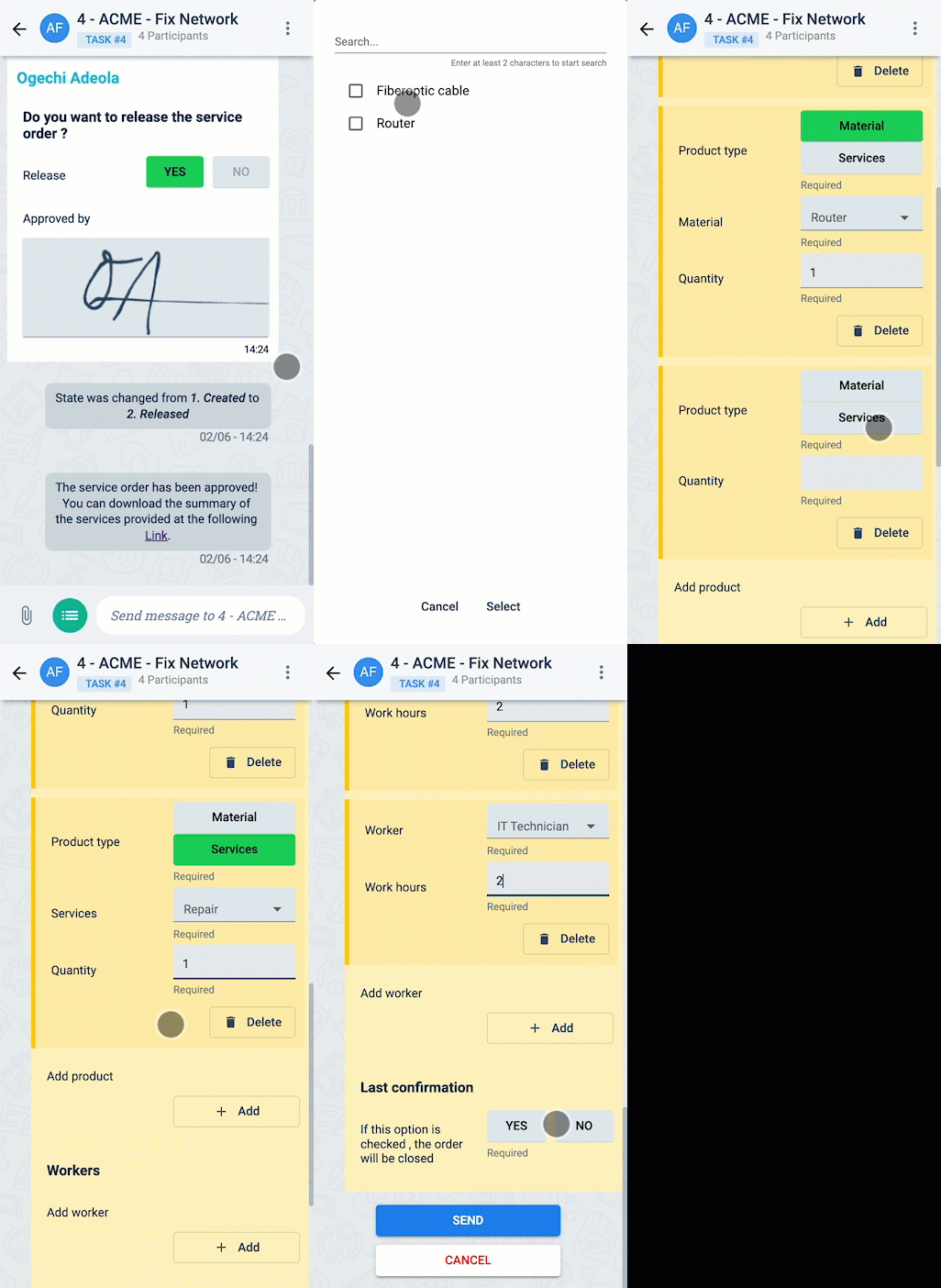
In this case, Diego closed the service order with the modifications he introduced. But, he could have left the order open and added further changes that would be summed up to the ones he previously made.
Updated PDF
After introducing the modifications, a new service order PDF document is generated. Diego checks the document from his desktop computer in the office.
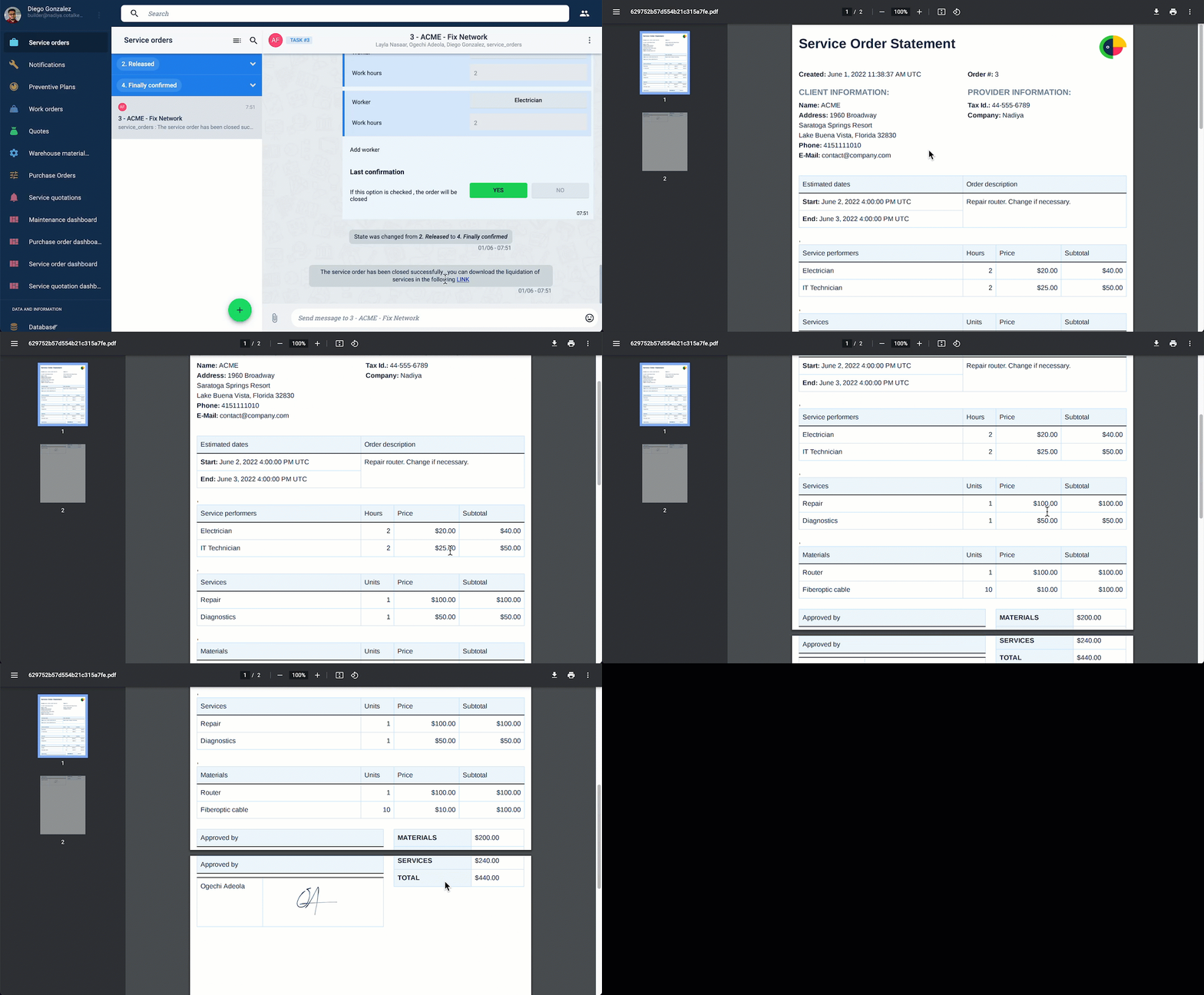
The new service order does not include the original costs. Diego had to introduce all the services and materials provided. If he had left the service order open, further modifications would have been summed up with all previous changes.