Quotes Workflow
Once a quote is sent, it is sent to a new channel for approval.
To approve a quote:
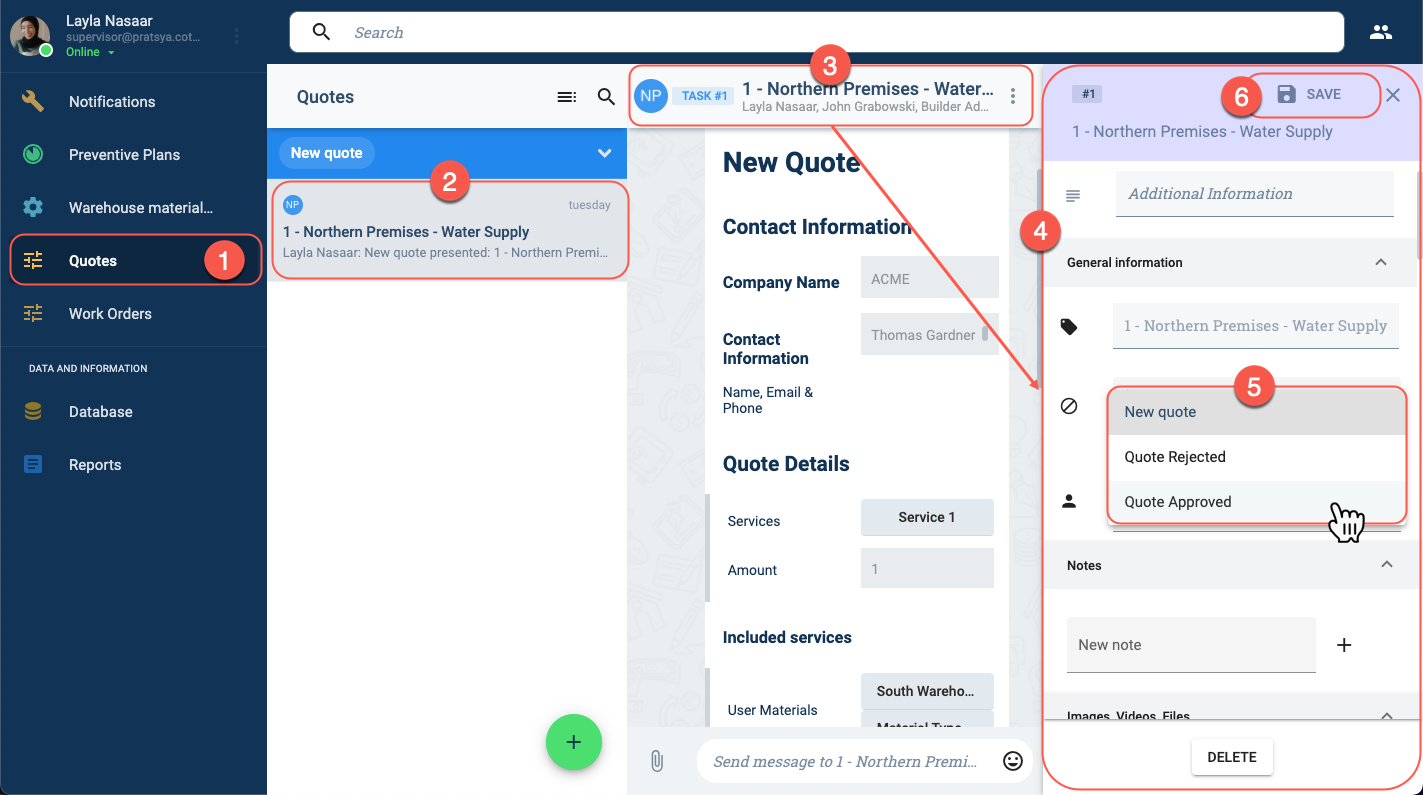
- In the Main Menu Bar, press Quote.
- On the Quotes panel, choose the quote to be reviewed.
- On the quotes channel workspace, press the title bar to open its settings.
- The quotes settings panel opens up. Choose the General information tab.
- Click the Status field to approve or reject the quote.
- Press Save.