Notifications Workflow
Water Leak Notification
Watch how Azam sends a notification to report a maintenance issue in 30 seconds:
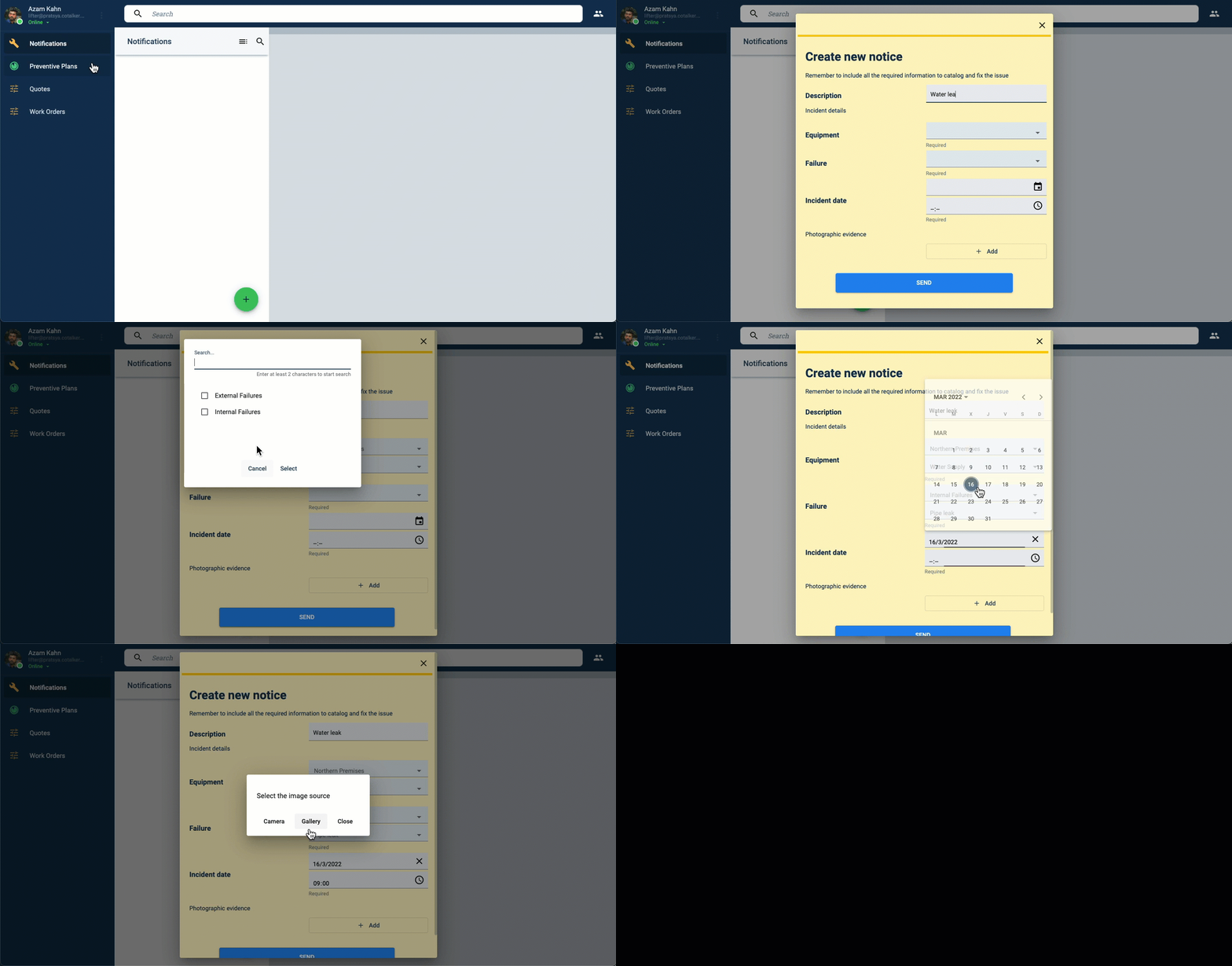
Detail of Azam's notification process explained step-by-step:
- Azam oversees the office in Acme's northern premises. This morning, he found a water leak on the premises.
- So he opened up the Cotalker platform to send a maintenance notification.
- He goes to the Notification section,
- And presses the green action button and selects the Report Incident option.
- A form pops up, and he fills it out.
- He indicates the company location where the incident has happened from a list: Northern premises.
- Then, he indicates what type of asset has suffered a failure. He selects Water supply from the list.
- After choosing the Water supply option, he indicates if the problem comes from within or outside the premises. So he selects the Internal option to inform that the problem is within the premises.
- He then indicates the failure type. A list of possible failures related to internal water supply issues shows up. He selects Pipe leak.
- Next, he registers the date and time the incident happened.
- Before submitting, he adds a photo to explain the incident better.
- Finally, he presses the Send button on the form to notify Layla, the maintenance supervisor.
- This commences the Notification workflow. In the next step of the process, Layla will have to validate the report. Once validated, she can then create a work order, starting a new workflow that will include the contractor assigned to fix the leak (more on this later).
Water Leak Report Validation
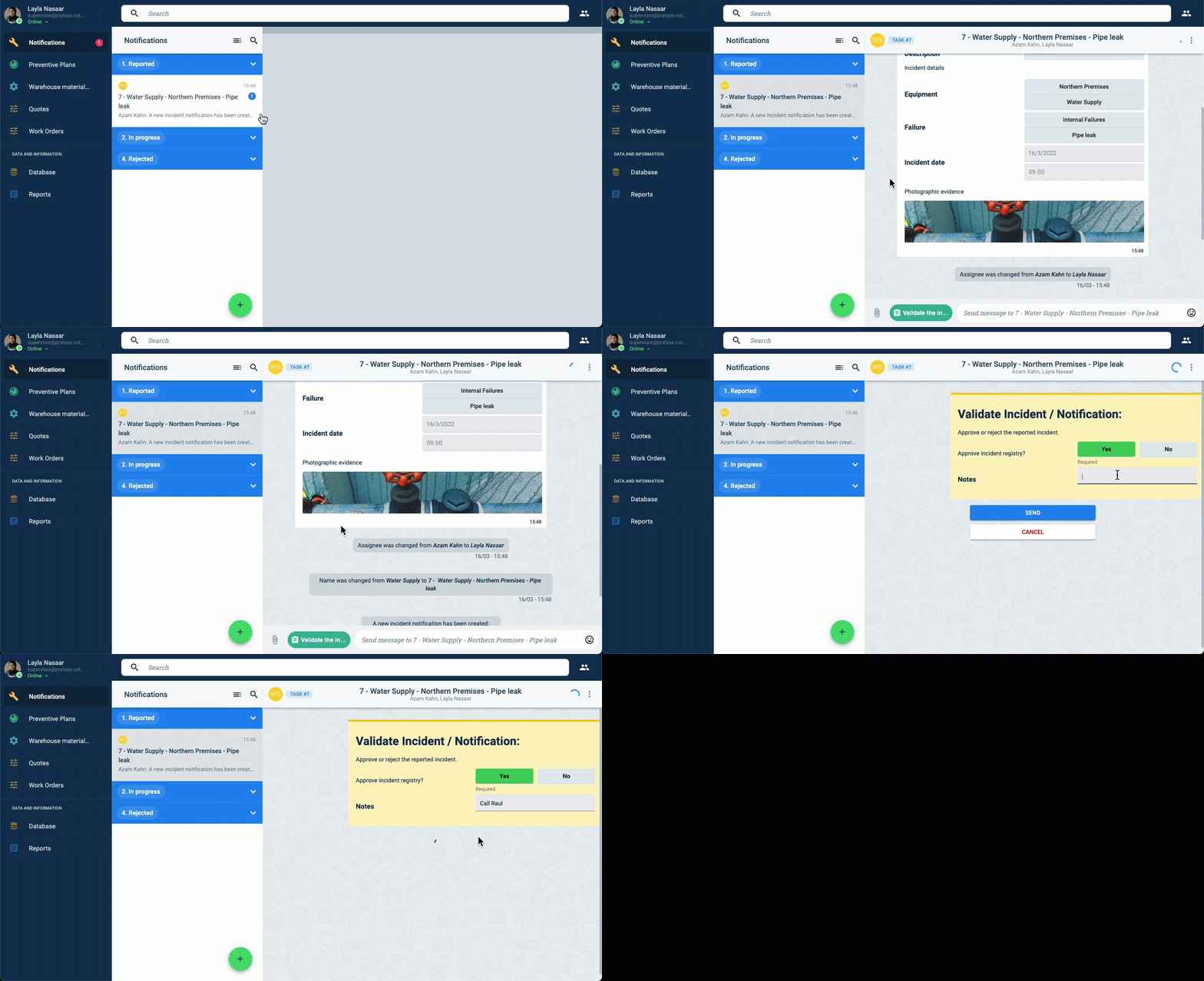
Details of how Layla validated Azam's report:
- Once Azam sends in the report, Layla, the maintenance supervisor, gets notified immediately.
- She opens up the notification channel.
- Then, she scrolls up the channel to look at the details of the report.
- In the channel workspace, she presses the green button labeled Validate Incident.
- The Validate Incident Notification form pops up.
- She chooses to validate and adds a note before submitting the form.
- Once the incident is validated, from the same workspace, Layla can send contractors a work order requesting their services, thus initiating the work order workflow.