Preventive Plans Workflow
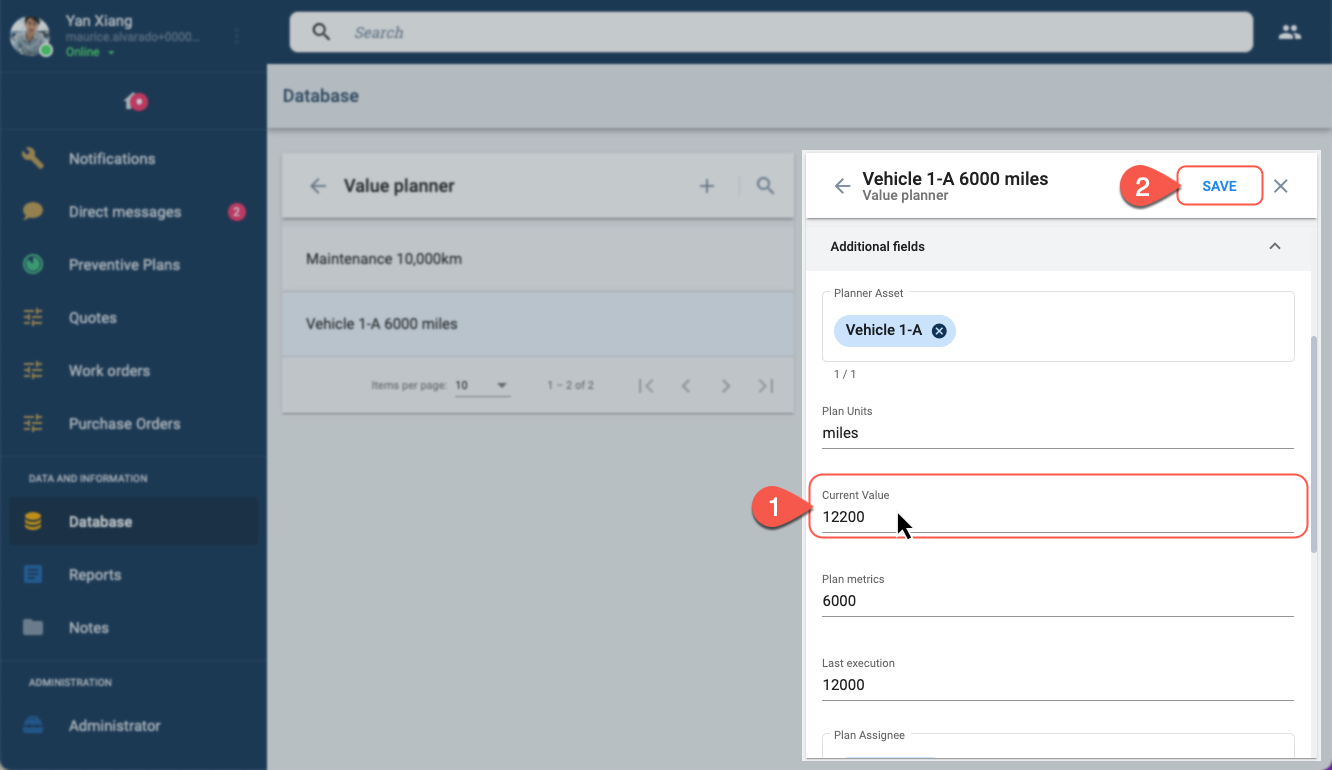
This tool lets assigned users register the latest asset metrics. When the metric's value reaches the predefined interval, the preventive plan triggers the workflow into the next phase.
note
To make registering metric values even easier:
- Users can update the metrics through their mobile devices.
- Metrics can even be updated through our API tools.
Access Records
To access an asset's records:

- On the Main Menu Bar, select Preventive Plans.
- Press the green button at the bottom of the Preventive Plans panel.
- From the menu, click View value-triggered plans. The Database section opens up as shown below.
Choose the Asset
To choose the asset you wish to update:
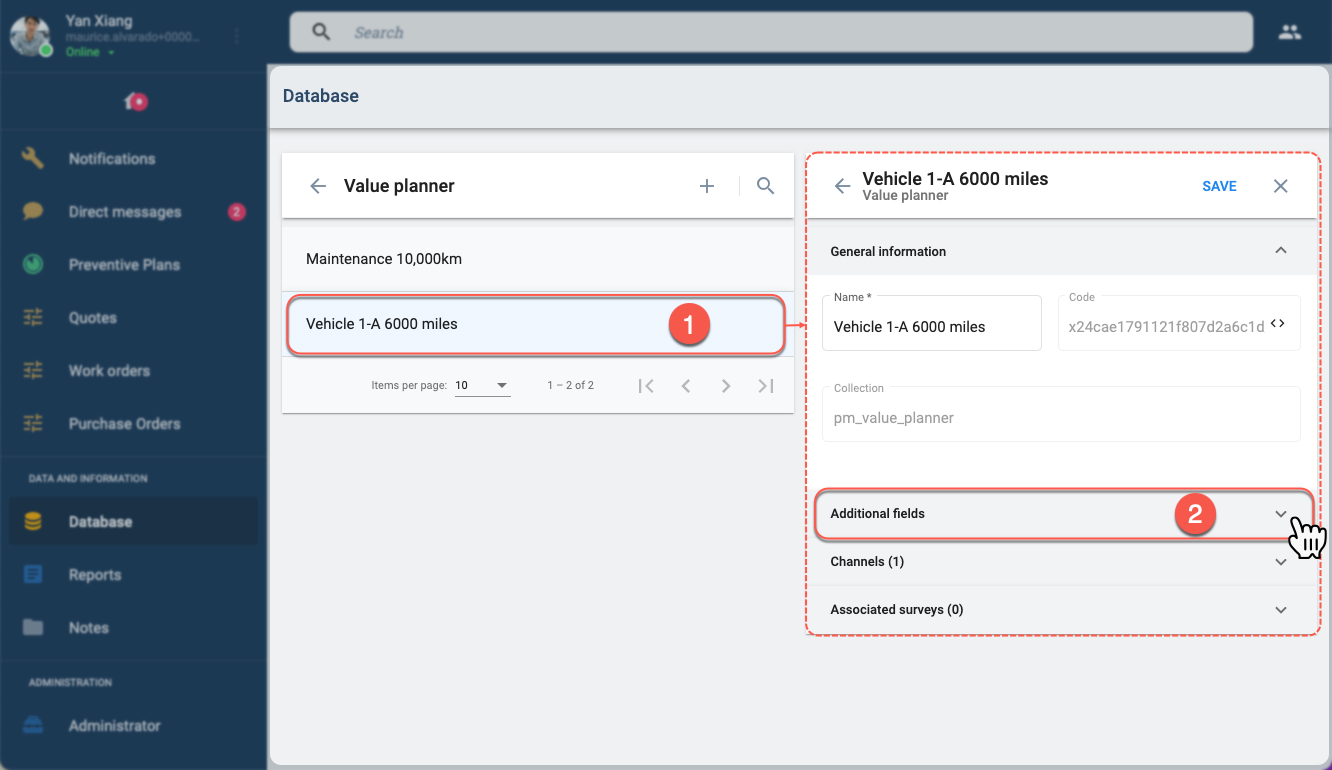
- Choose the asset you wish to update from the list on the Value planner panel. A panel with asset's details will appear on the right.
- From the asset's panel, select the Additional fields tab to view metrics that are being registered.