Work Orders Workflow
After contractors or maintenance teams submit the Close Work Order form, supervisors must validate job completion. Work orders are officially closed after validation. Sometimes, a supervisor's job can be overwhelming with large amounts of completed jobs that need validating. To ease this difficulty, supervisors can recur to the Mass Validation tool. With it, supervisors can request a report of all requests to close work orders that need validation, and they can choose to do a mass closure which validates all of these jobs and ultimately closes the work orders.
Mass Validation
To access the Mass Validation tool:
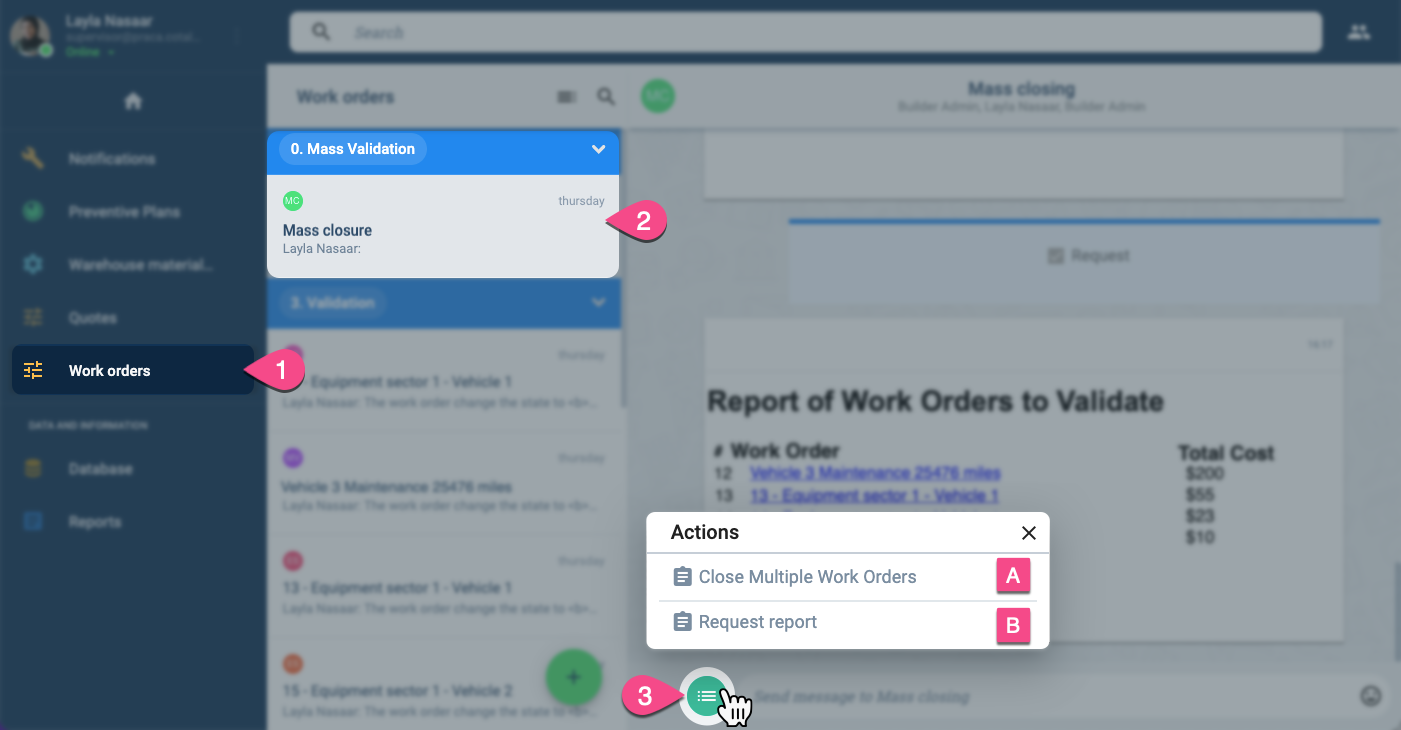
- On the Main Menu Bar, press Work orders.
- From the Work orders panel, underneath 0. Mass Validation, select Mass closure to open the workspace.
- Press the actions button found at the bottom of the workspace.
- Choose the one of the following options from the Actions menu:
- A. Close Multiple Work Orders: Choose work orders ready to be validated and closed.
- B. Request Report: Creates a list of work orders awaiting validation and closure.
A. Close Multiple Work Orders
Once the Close Multiple Work Orders option has been selected the following form appears:
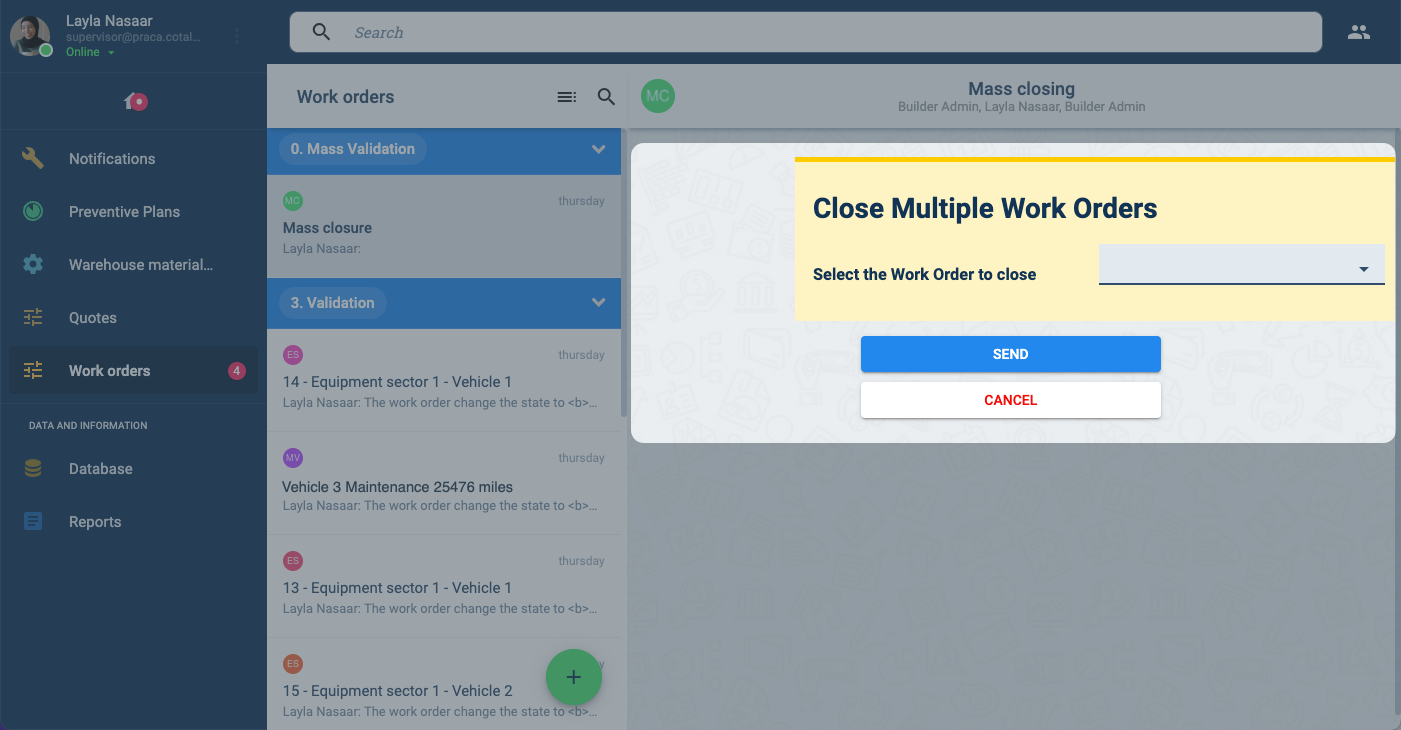
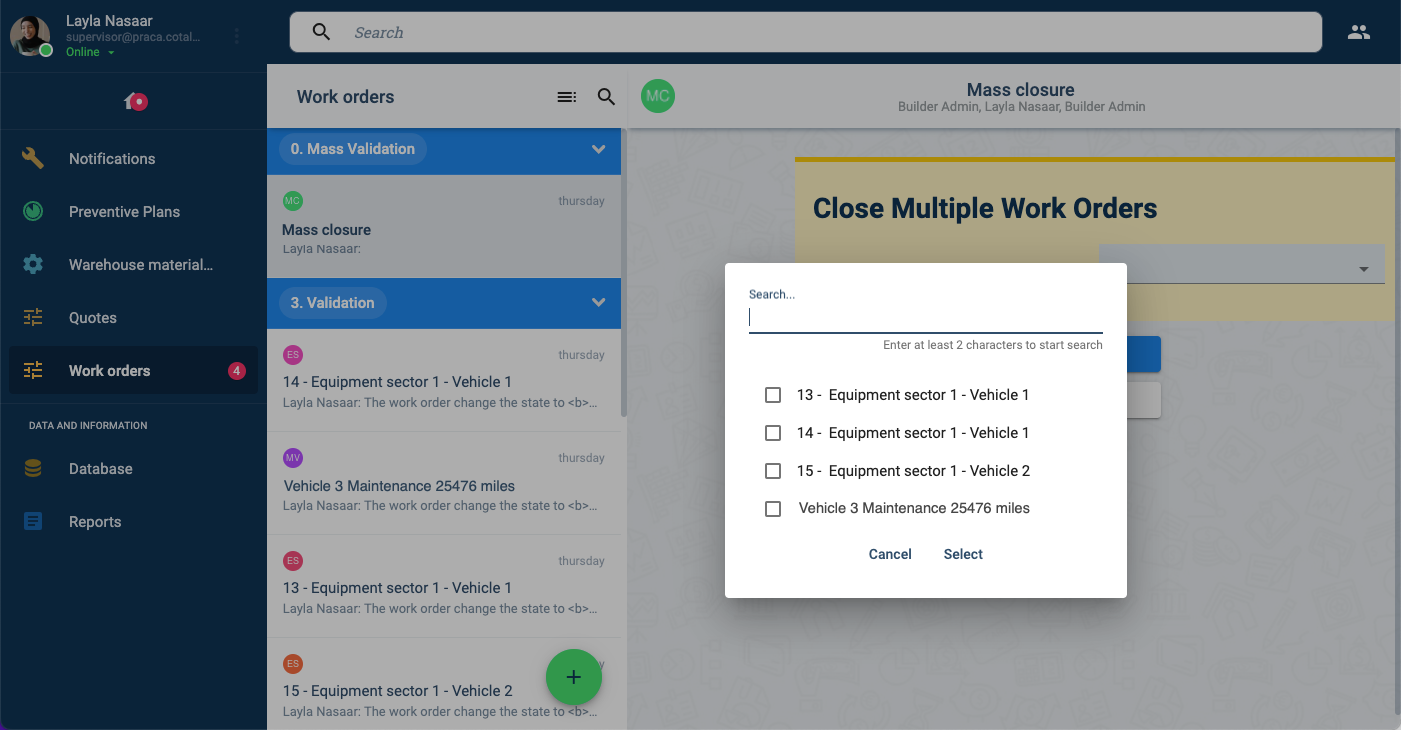
Clicking on the Select the Work Orders to close field will display a list of all requested work order closures that need validating. Search and select the work orders that you wish to close:
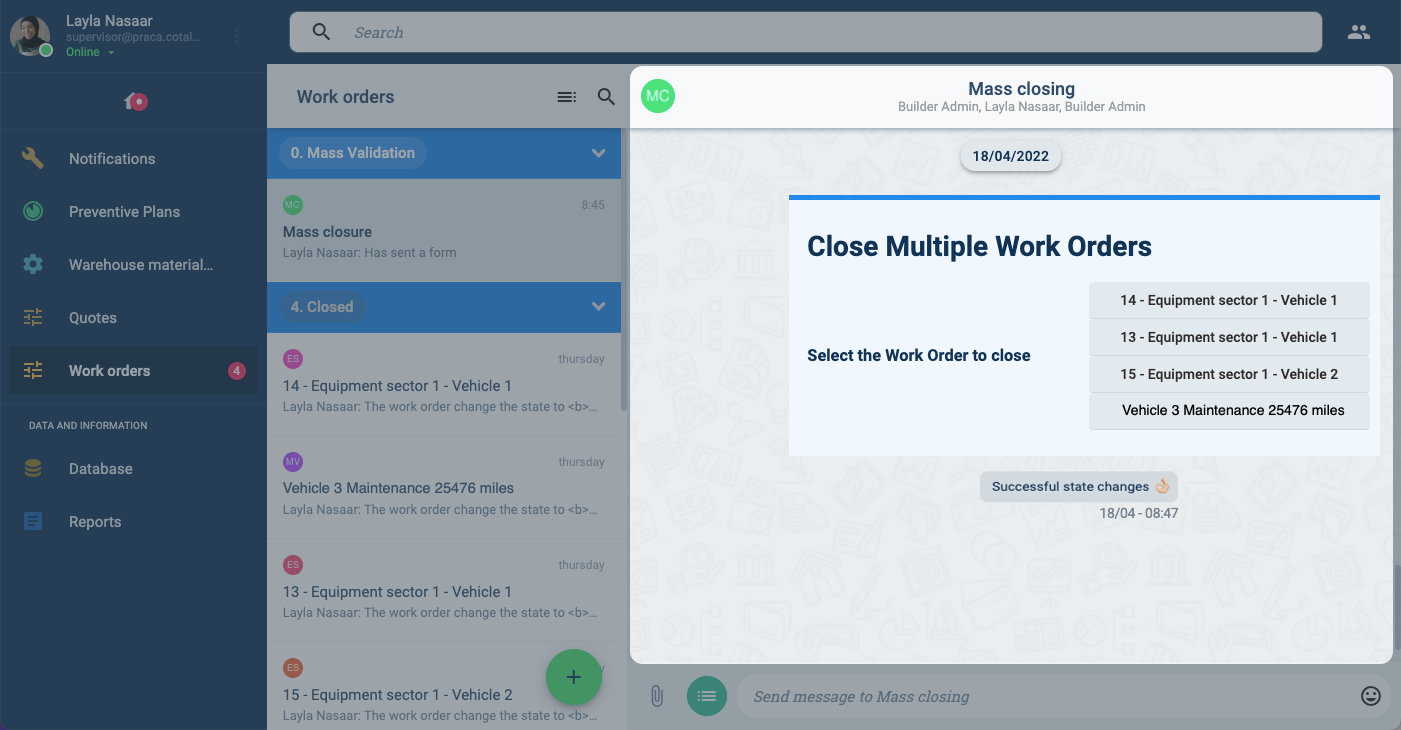
Once the form is submitted, the work orders are officially closed.
B. Request Report
After choosing the Request Reports option you will see a report similar to the one below in your channel workspace:
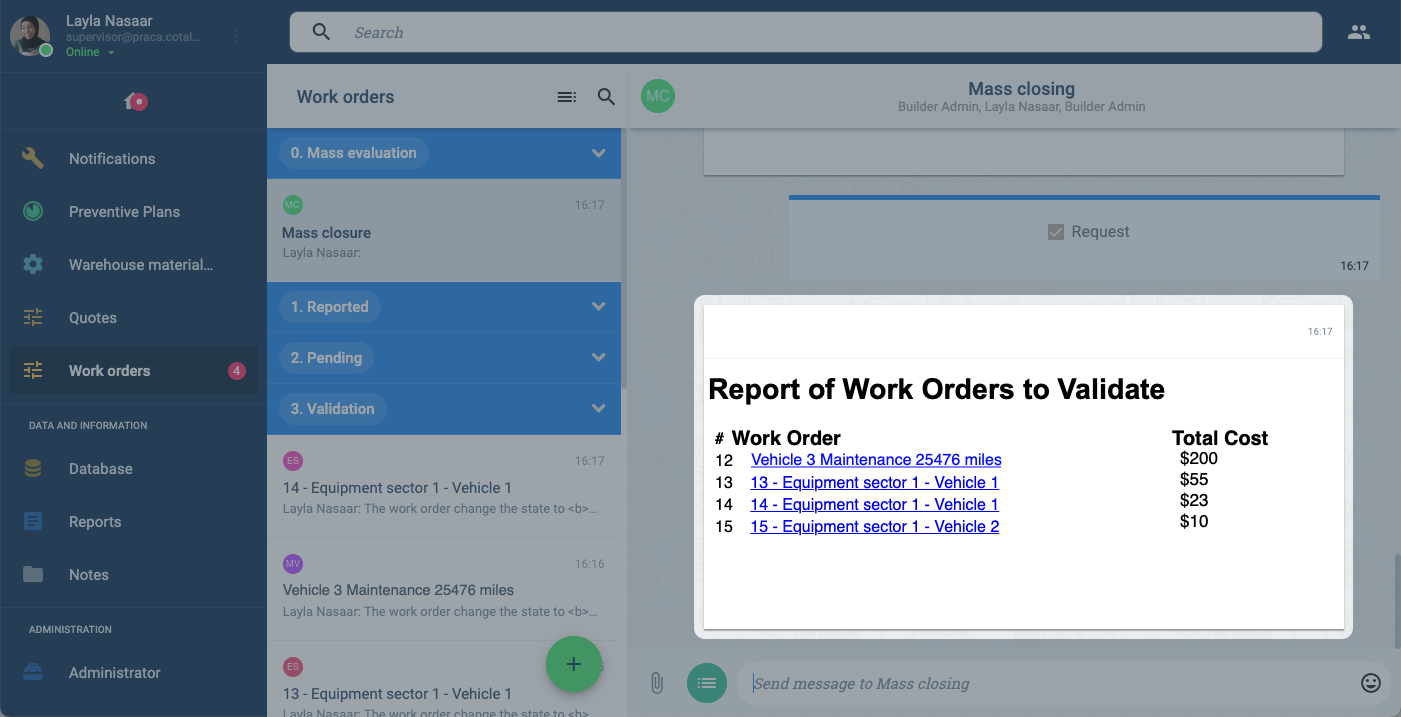
A list of the work orders to be validated and closed appears along with their total cost. A hyperlink is also available for each work order so that you can go to each individual work order's workspace for further details.