Work Orders Workflow
Close Work Order
Once the job has been completed, technical teams and contractors can submit the Close Work Order form.
To submit the Close Work Order form:
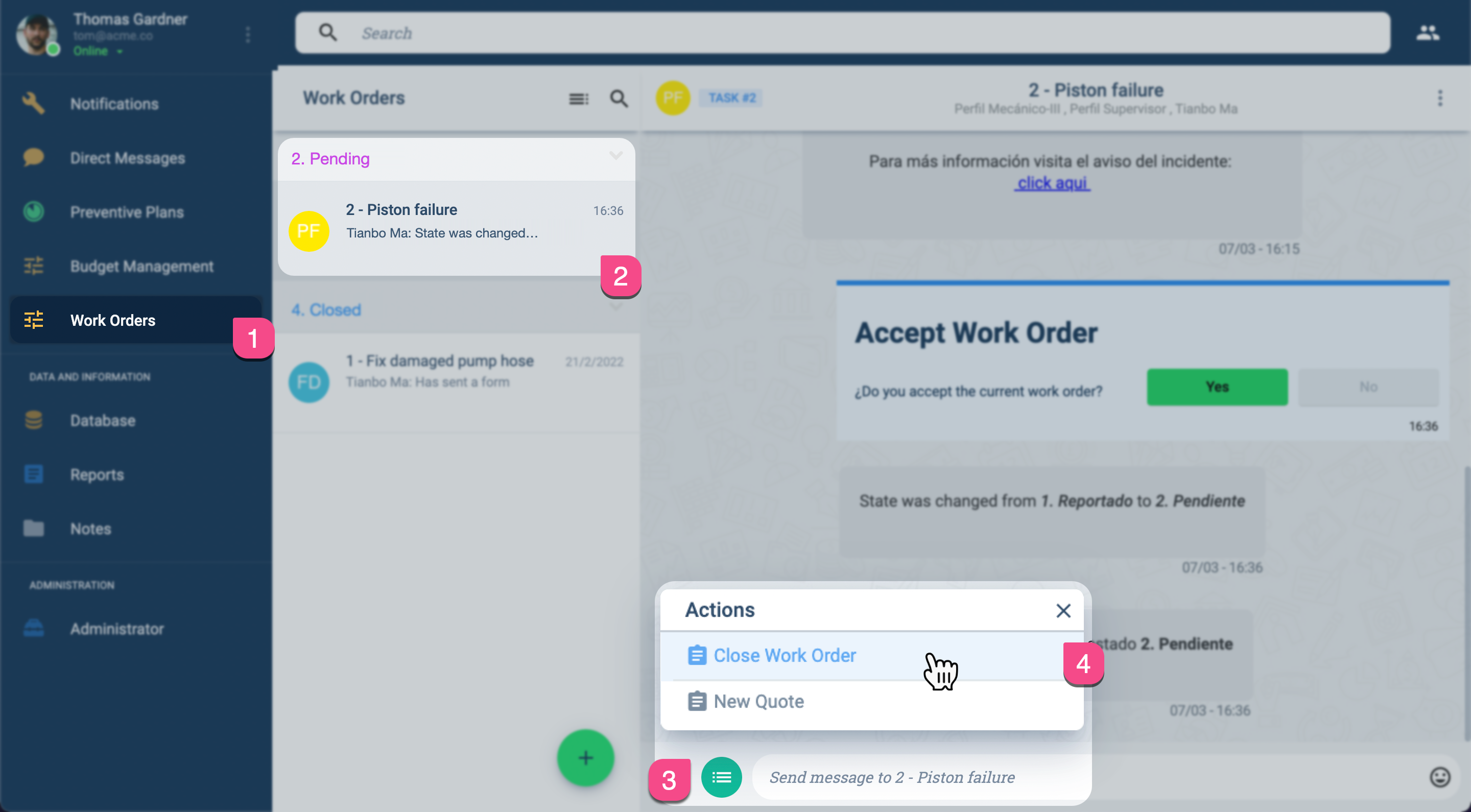
- Press Work Orders in the Main Menu Bar.
- Select the corresponding work order from the Work Orders panel.
- Press the action button in the channel workspace to open the actions menu.
- Press the Create Work Order. The corresponding form appears as shown below.
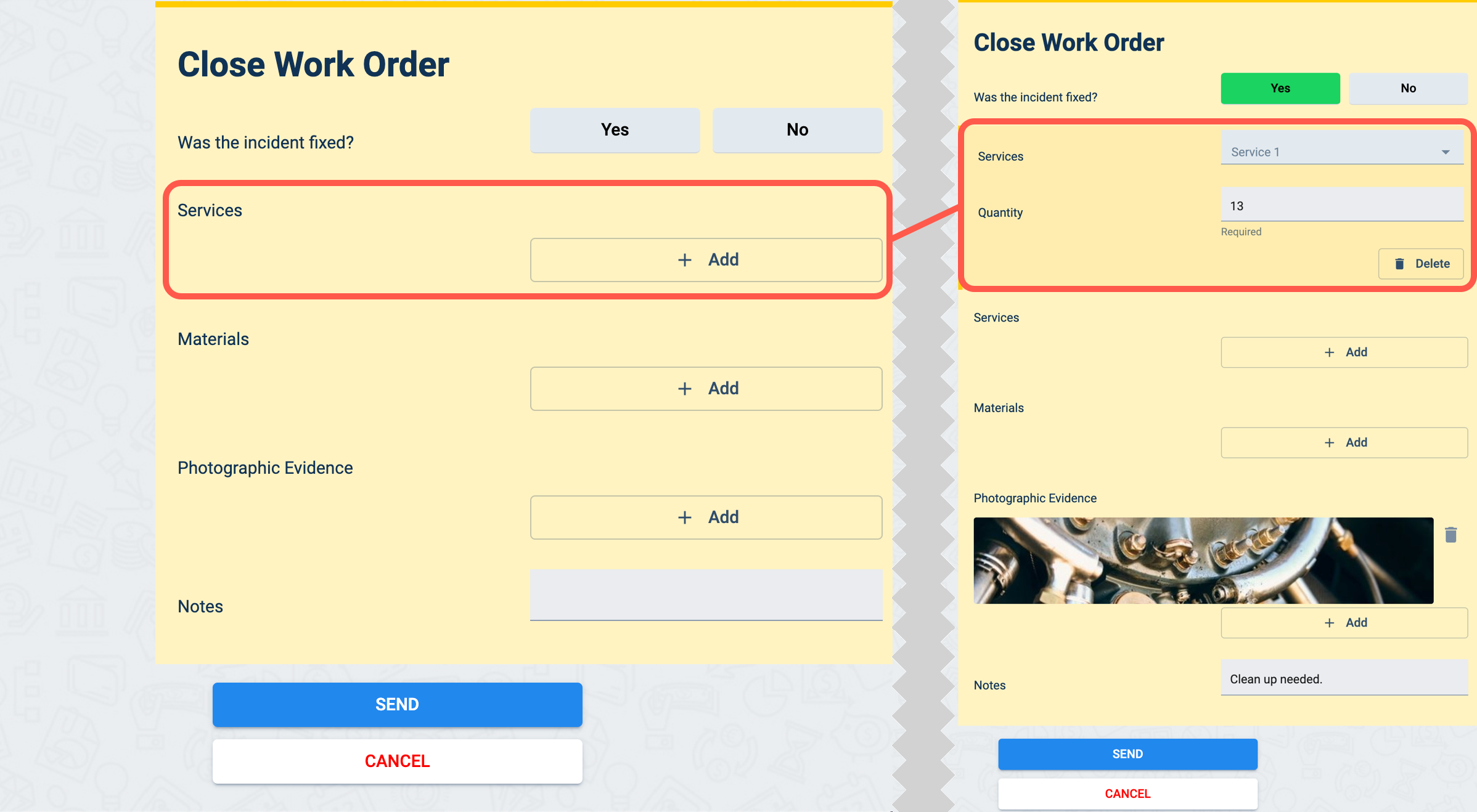
The Close Work Order form contains database elements, permitting maintenance personnel to choose services and materials from lists. In the database, the quantity of materials in stock is registered, and services include costs. Once the form is submitted, chosen materials are deducted from warehouse materials. Additionally, service costs are calculated and displayed.
After submission, the workflow passes to the validate state.
Next step
Supervisors review the submitted Close Work Order and fill out the Acceptance of Work form.