Work Orders Workflow
Work orders for car maintenance are automatically created every 6,000 miles, thanks to Sarah's preventive maintenance plan.
Below we see how her plan is carried out along the work order workflow.
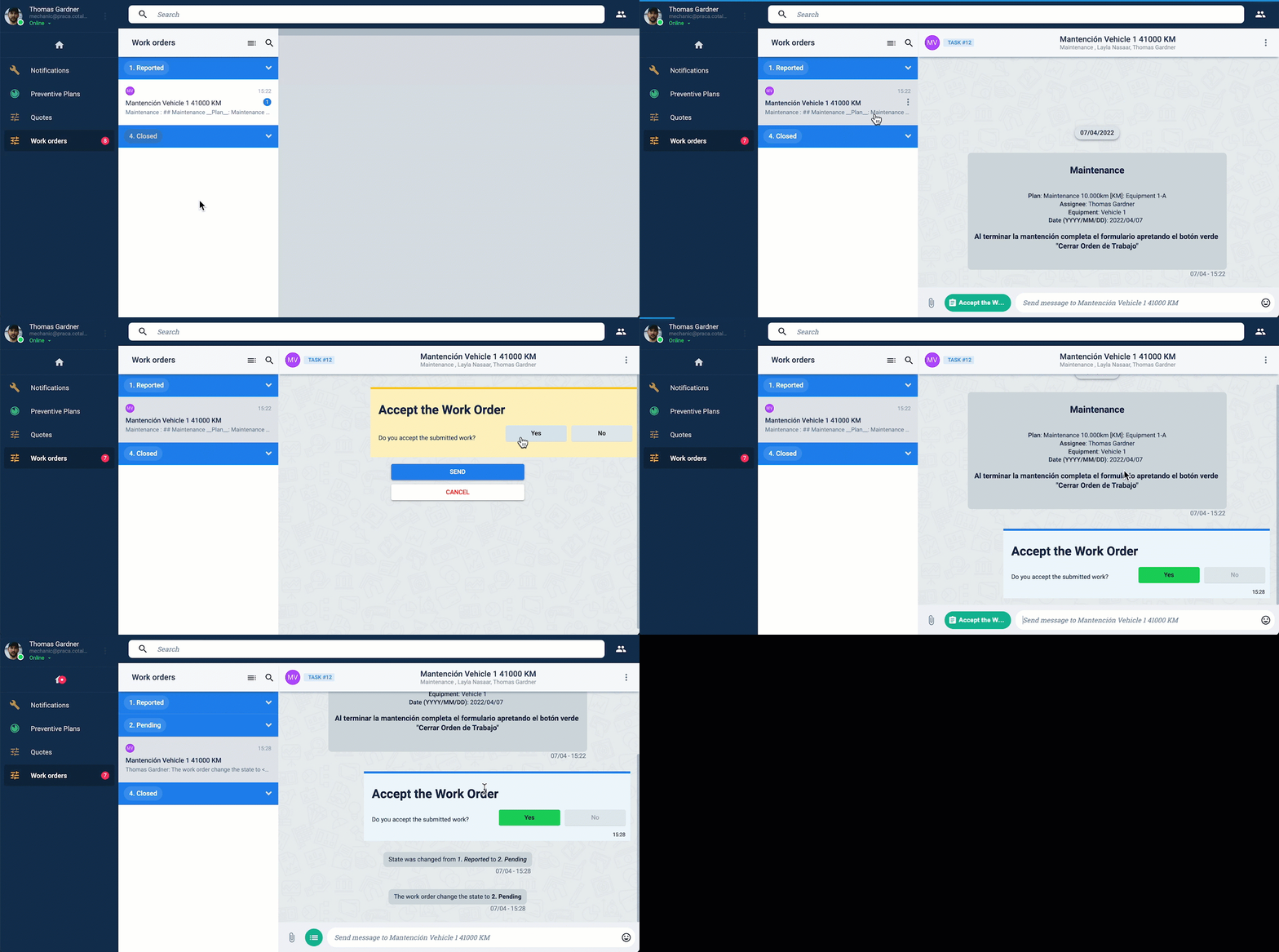
Accept Work Order
The car has reached a bit more than 12,000 miles. It's time for its next maintenance check.
Thomas, a maintenance contractor, receives the automatically generated work order. After viewing the details, he chooses to accept the job and fills out the corresponding form.
Checklist
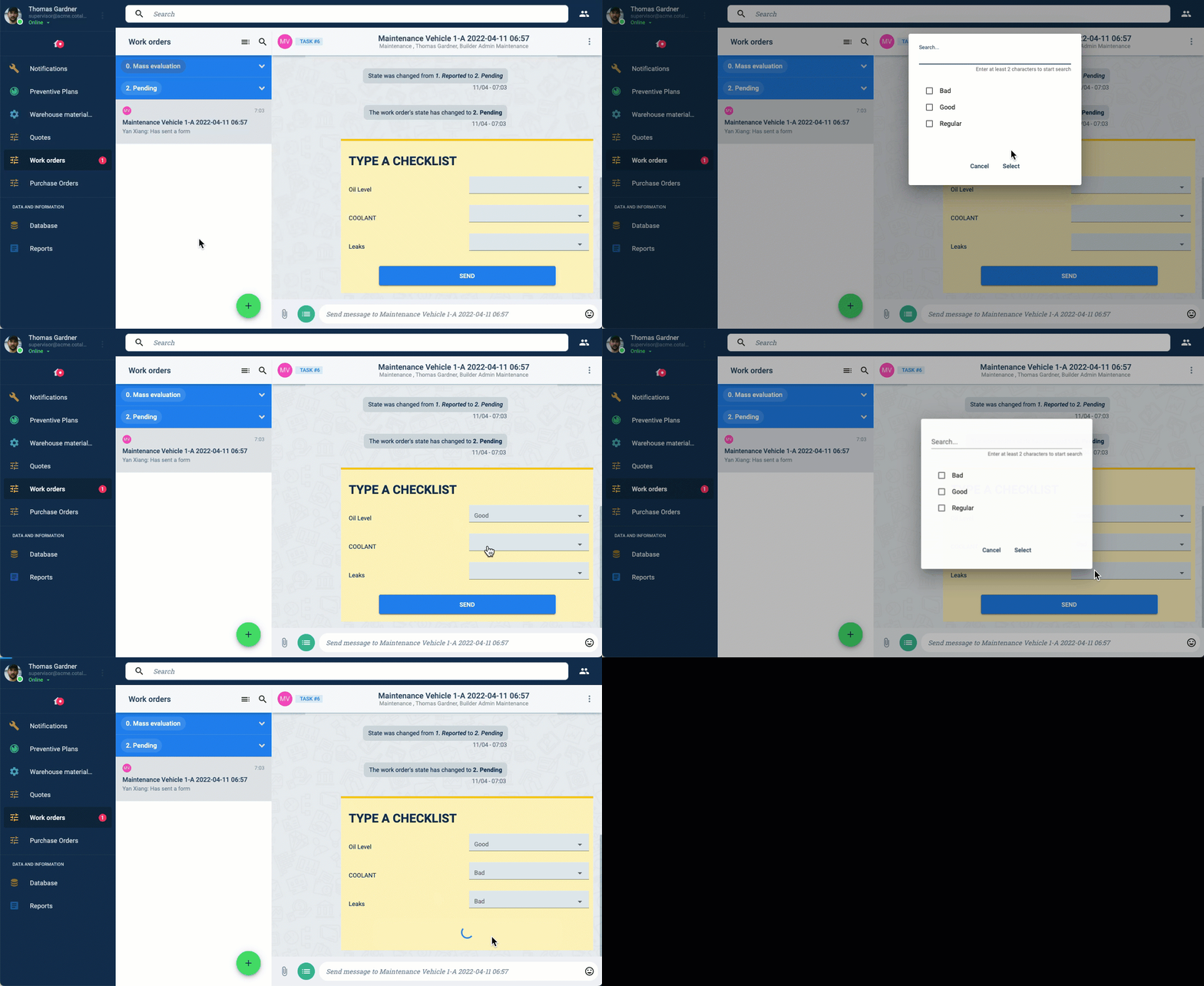
After accepting the work order, Thomas receives a checklist of items to inspect. Upon inspection, Thomas immediately sends back the checklist with the current state of the items.
Close Work Order
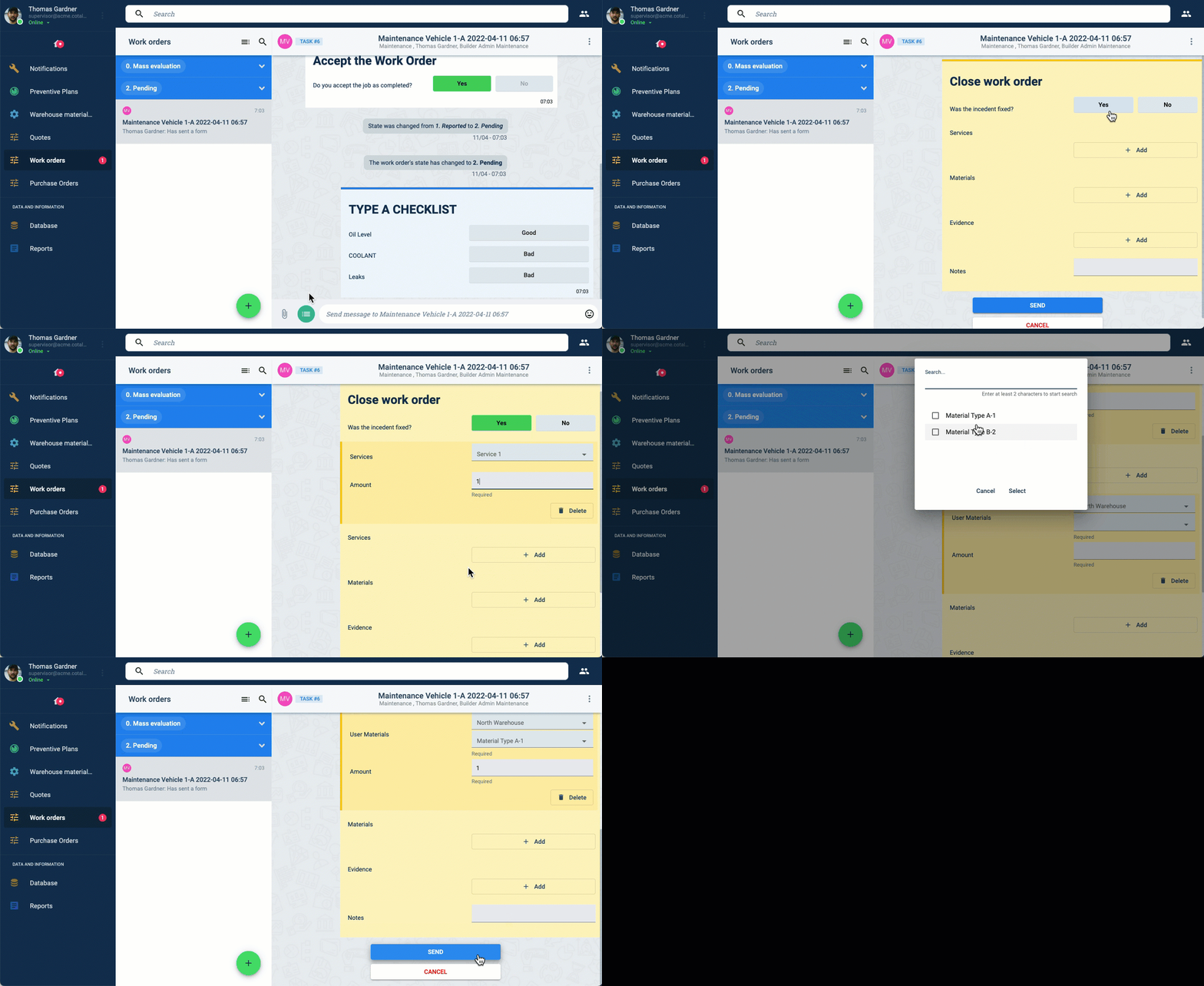
Once maintenance checks are completed and appropiate repairs are made, Thomas can submit the Close Work Order form.
Recepction and Feedback
Sarah receives Thomas' close work order request. She checks out the report and decides to approve the completed maintenance job.
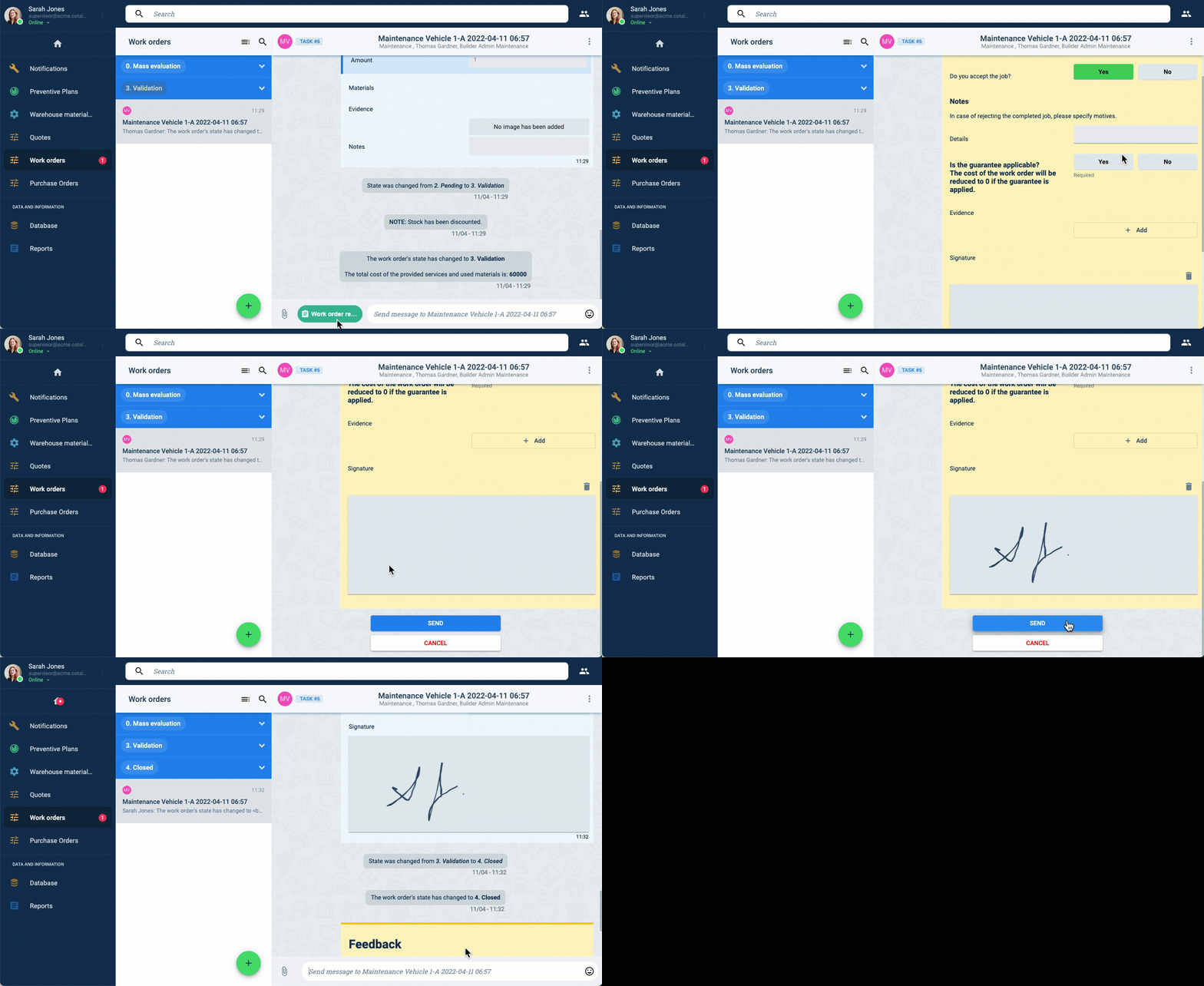
Afterward, a feedback form appears on the channel, allowing Sarah to rate the job and send remarks that Thomas will also be able to see.