Work Orders Workflow
Accept Work Order Form
When time or value triggers are set off, a work order is automatically sent to contractors or maintenance teams. They can view the work order's details, ask for more details through the channel, and accept the job by submitting a form.
To accept the job:
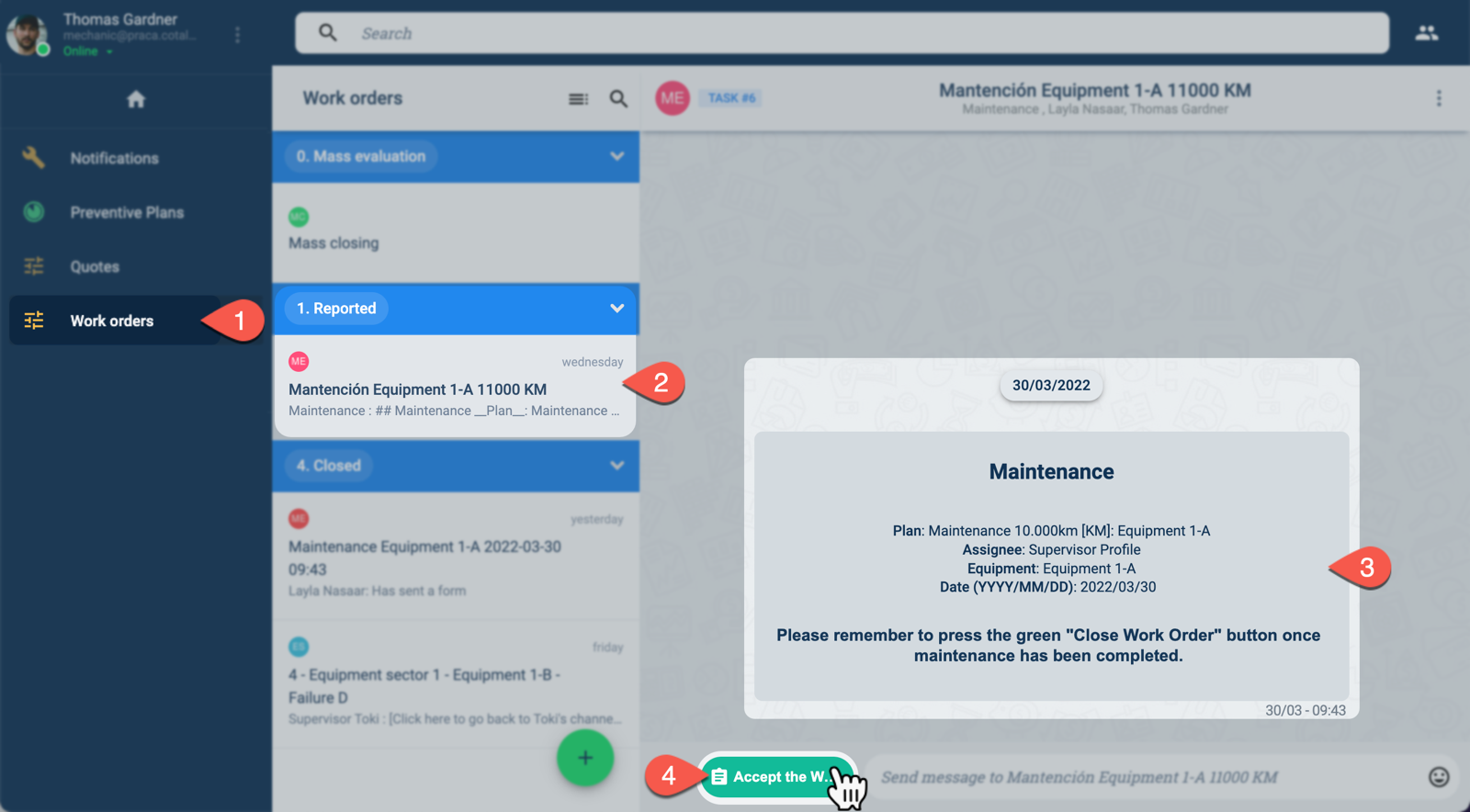
- Go to the Main Menu Bar and press Work orders.
- From the Work orders panel, choose the reported maintenance task.
- In the channel workspace, view work order details.
- At the bottom of the workspace, press the green button to open the Accept Work Order form.
The Accept Work Order appears as follows:
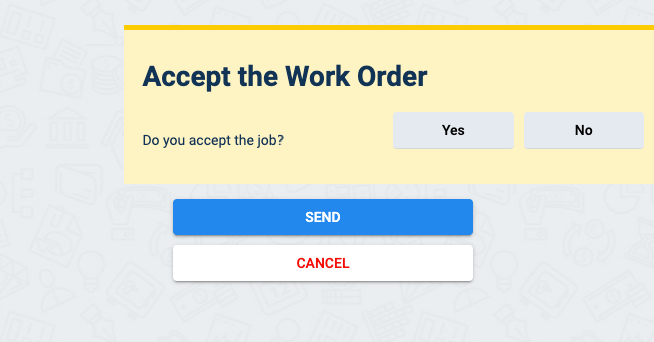
Once the form is sent, supervisors will be notified.
next step
Contractors and maintenance teams will receive a checklist of items to evaluated in the maintenance.