Work Orders Workflow
Work Order Reception
Once contractors or maintenance personnel request to close the work order, supervisors must fill out the Work Order Reception form to either approve or reject the maintenance job. If approved, the work order is officially closed. If rejected, the work order goes back to the pending workflow state.
To open the form:
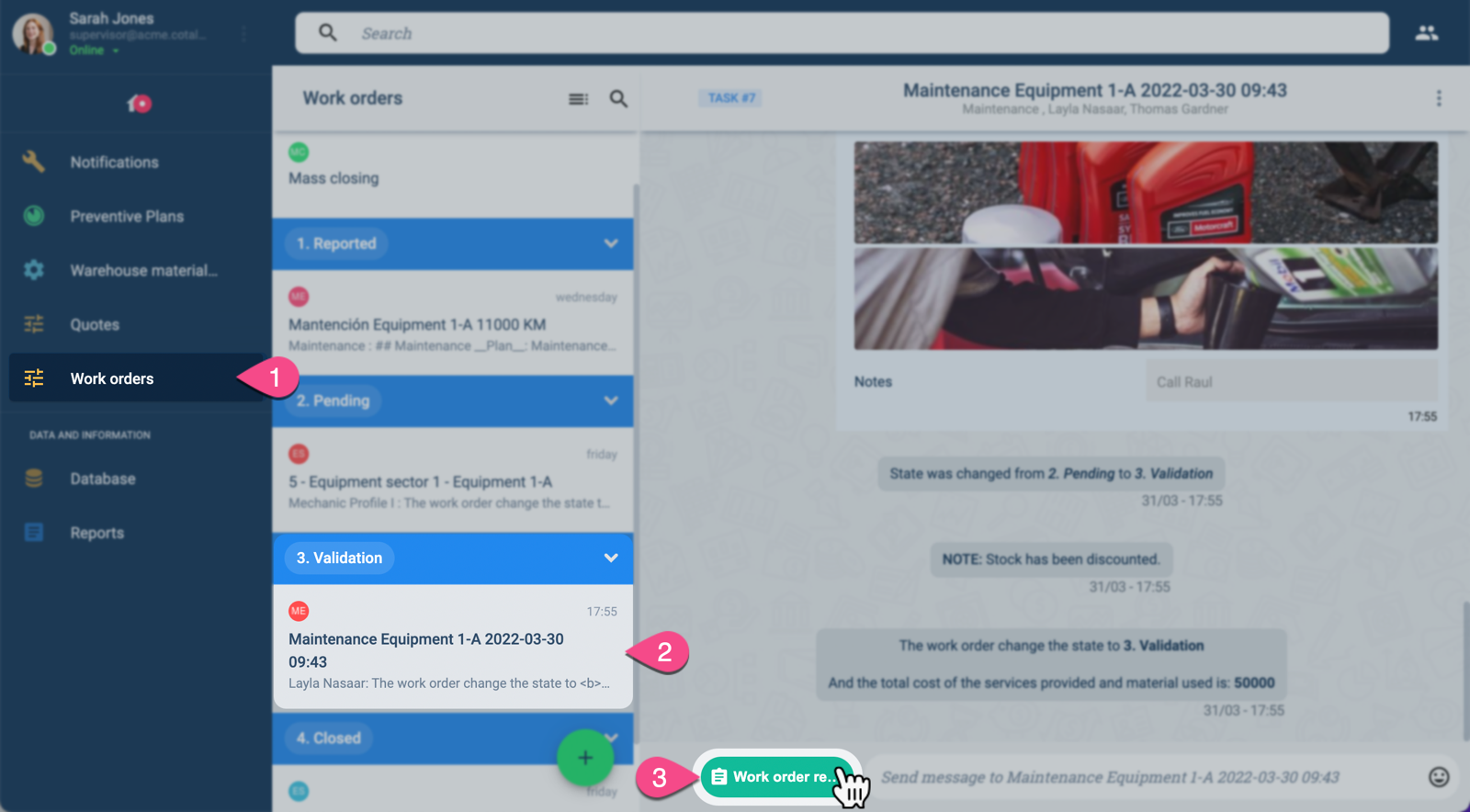
- Select Work orders on the Main Menu Bar.
- From the Work orders panel, choose the corresponding work order in the Validation state.
- Press the green actions button found at the bottom of the channel workspace. The Work order reception form opens up as shown below.
The Work order reception form appears in the channel workspace as shown below:
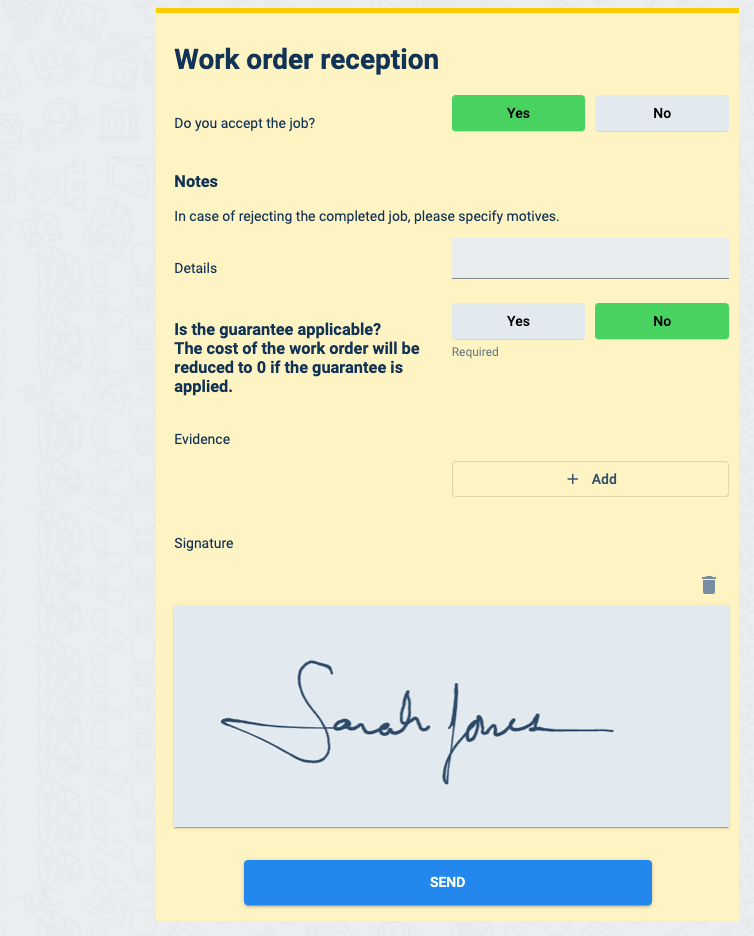
Either accept or reject the maintenance job. Accepting will close the work order; rejecting will take the work order back to the pending state.
The form permits adding guarentees that cover maintenance costs.
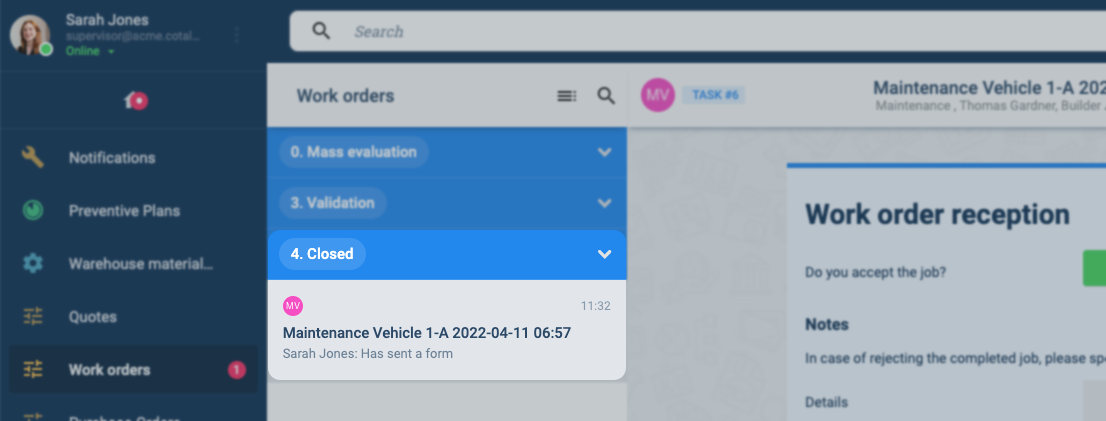
Once approved, the work order goes into the Closed workflow state as shown below:
Next Step
After closing the work order, supervisors can send feedback.