Work Orders Workflow
Close Work Order
After completing the maintenance job, contractors can request to close the work order by filling out the corresponding form.
To open the form:
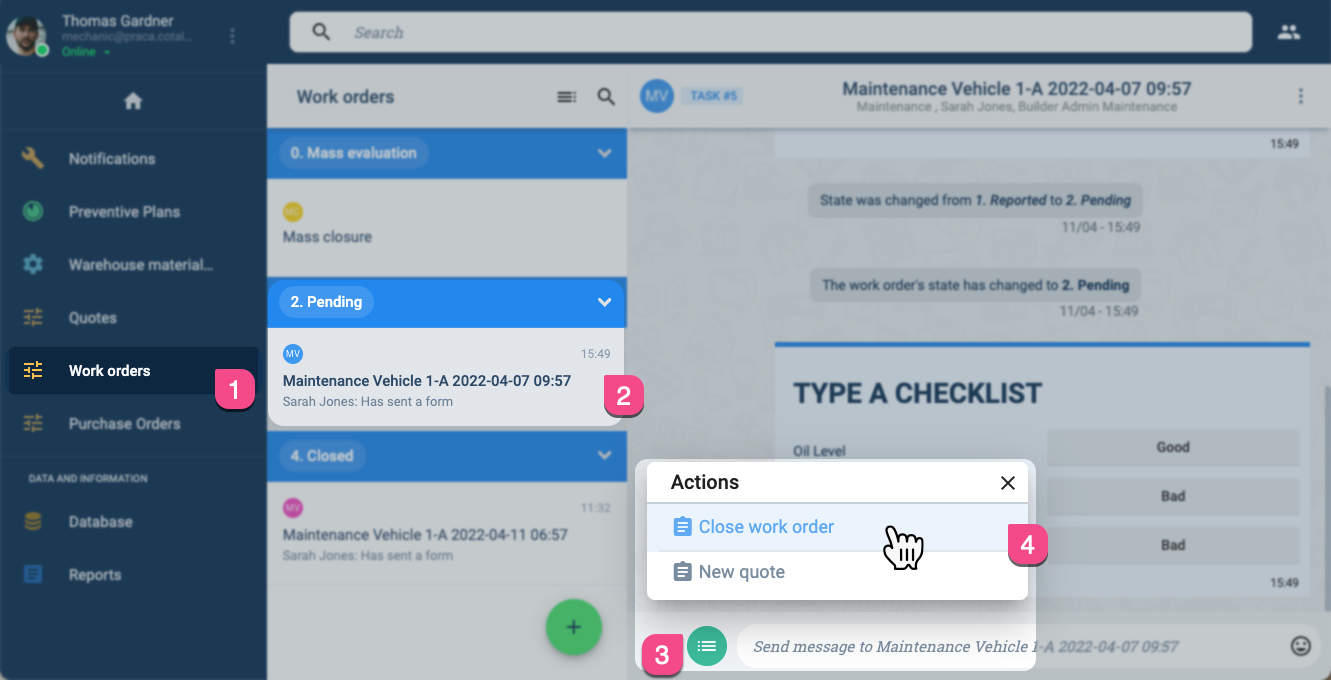
- On the Main Menu Bar, press Work orders.
- Choose the corresponding work order from the Work orders panel.
- Press the green actions button at the bottom of the channel workspace.
- Select Close work order from the menu. The form will open up as shown below.
The Close Work Order form opens up in the channel workspace as shown below:
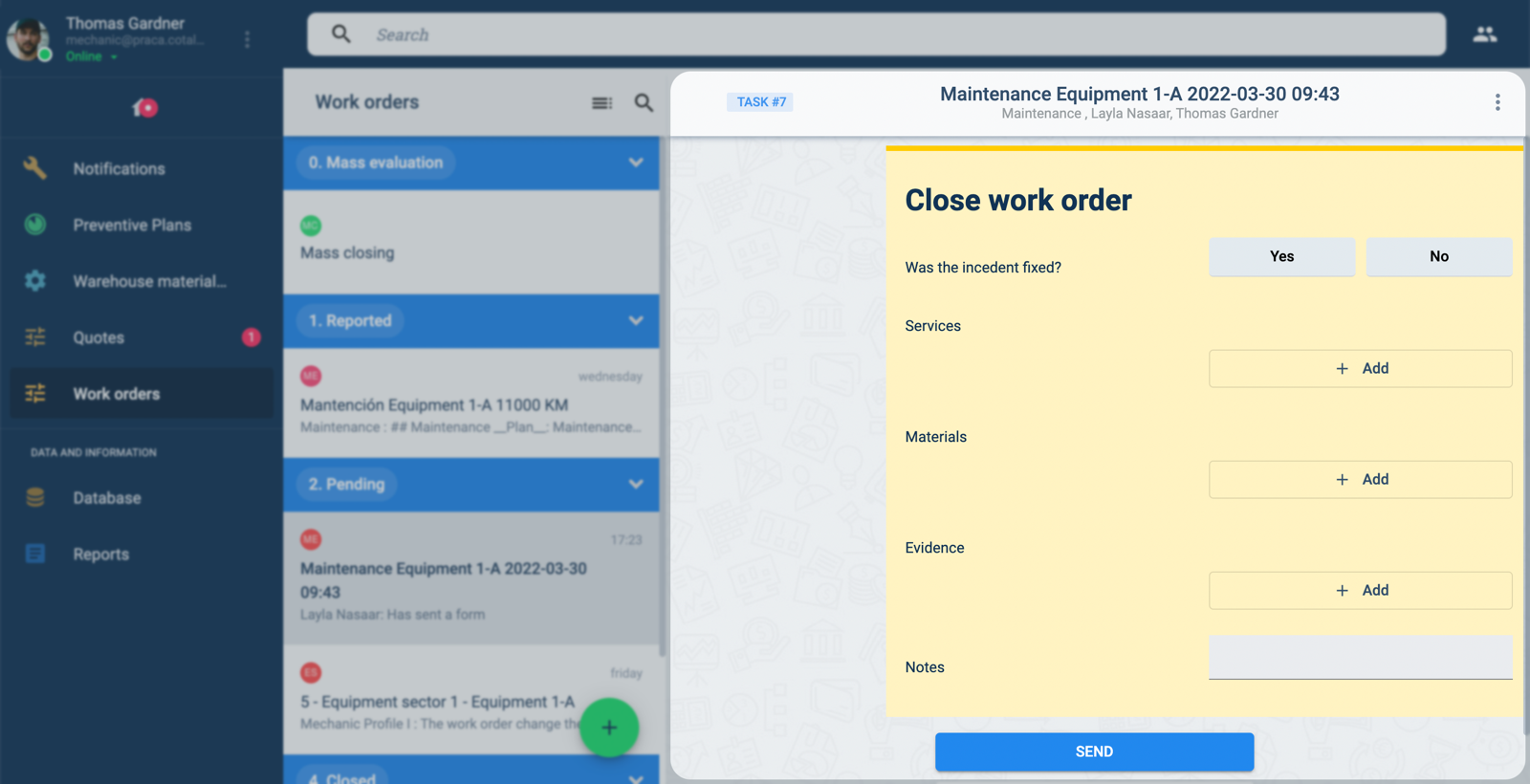
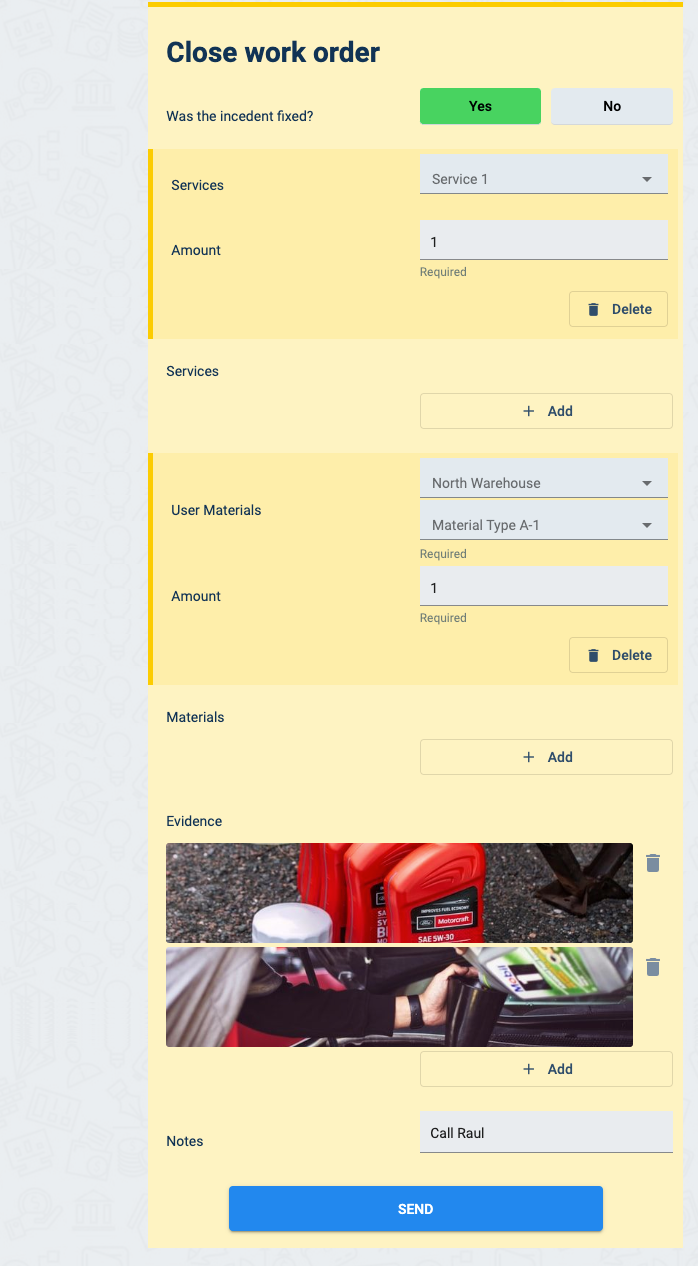
The form is connected to your master data, allowing you to add the cost of services and discount from stock the materials used in the job.
Next Step
After the Close Work Order form is sent, supervisors must approve the maintenance job, thus officially closing the work order.