Work Orders Workflow
Rate, write, and send multimedia files with the feedback form that appears in the channel workspace after submitting an approved Work Order Reception form.
To access the form:
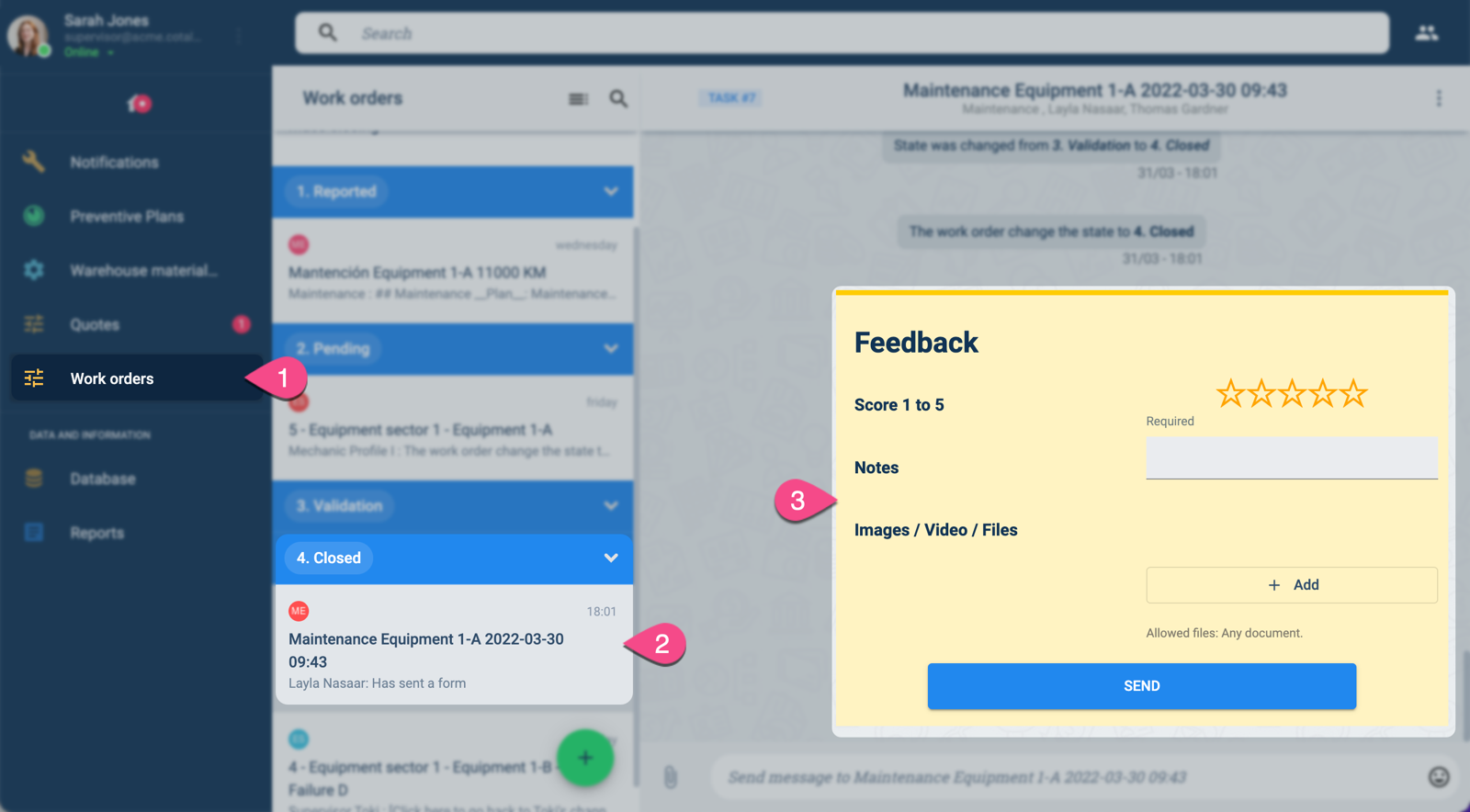
- Select Work orders on the Main Menu Bar.
- From the Work orders panel, choose the corresponding work order in the Closed state.
- Find the Feedback form on the channel workspace.
NOTE: All stakeholders will receive a copy of the submitted Feedback form.