Work Orders Workflow
Accept Work Order
Once the Create Work Order form has been submitted by a supervisor, technical teams or contractors will receive the work order with access to the details of the maintenance issue. They can choose to either accept or reject the work order.
To accept or reject the work order:
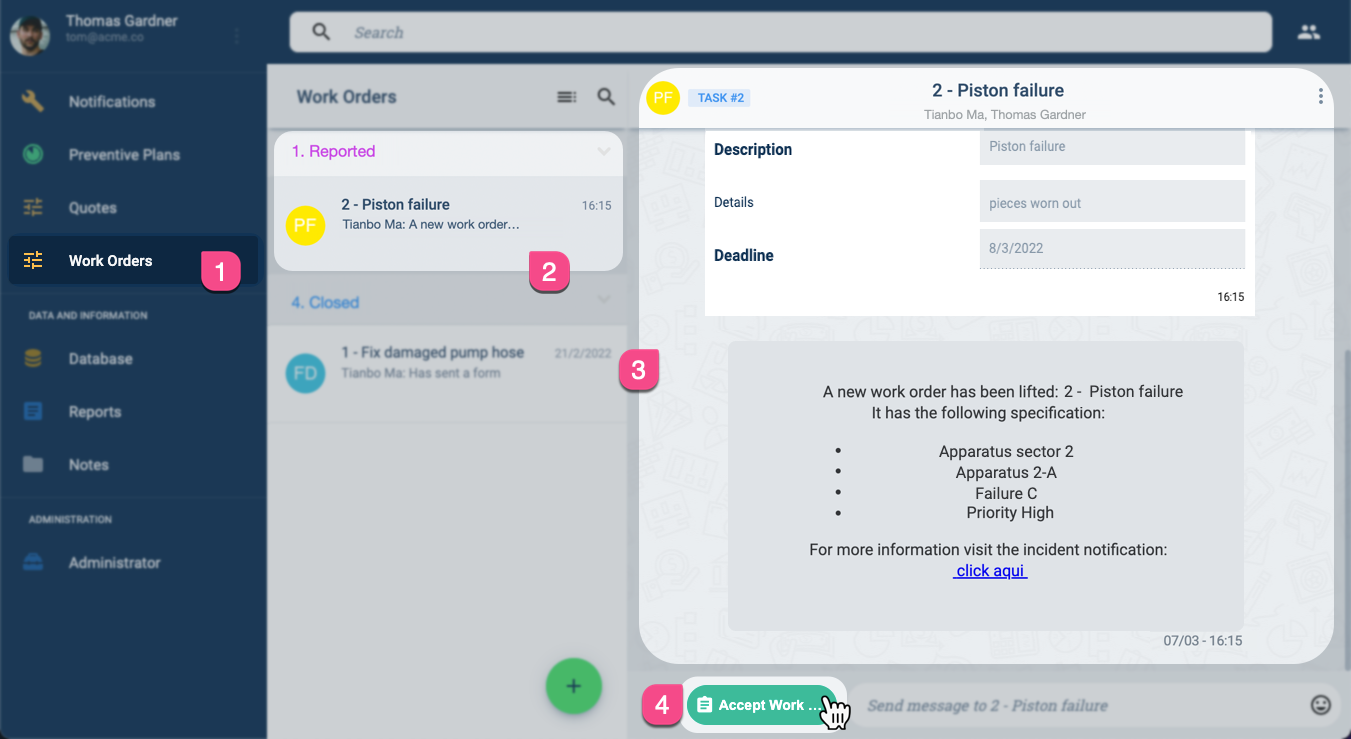
- Press Work Orders in the Main Menu Bar.
- Select the work order to be reviewed from the Work Orders panel.
- Review the work order's details.
- Press the action button to open the Accept Work Order form. The form appears as shown below.
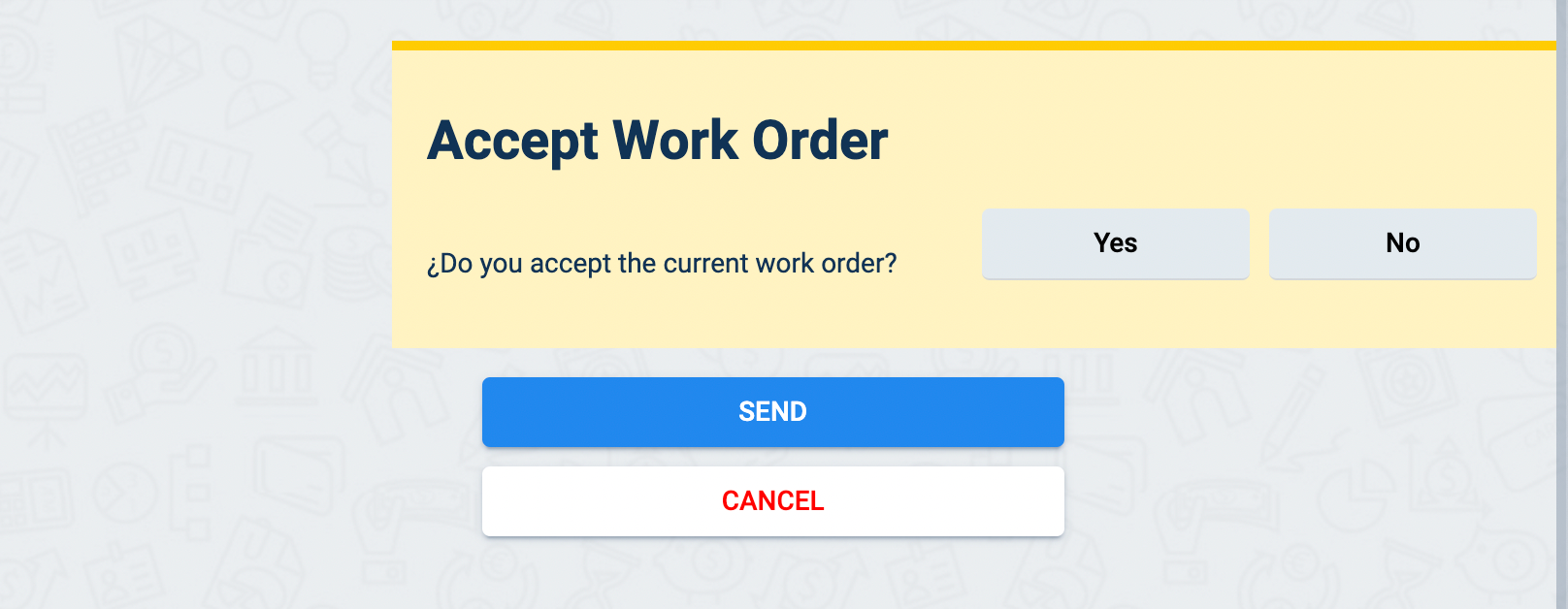
Contractors and technical teams can either accept or reject the work order. If accepted, the workflow passes to the pending state. If not, the workflow continues in the reported state until someone accepts the work order.
Next steps
- After accepting the work order, contractors can also submit the New Quote form. This form is tied to master data to help easily choose services and available materials, along with their costs and stocks, respectively.
- Once the job has been completed, maintenance personnel can request to close the work order by submitting the Close Work Order form.