Work Orders Workflow
Create Work Order
The Create Work Order form is the first form and initiates the Work Order workflow once submitted.
If you are using the stand-alone Work Order product, then the Create Work Order form is accessed as shown below.
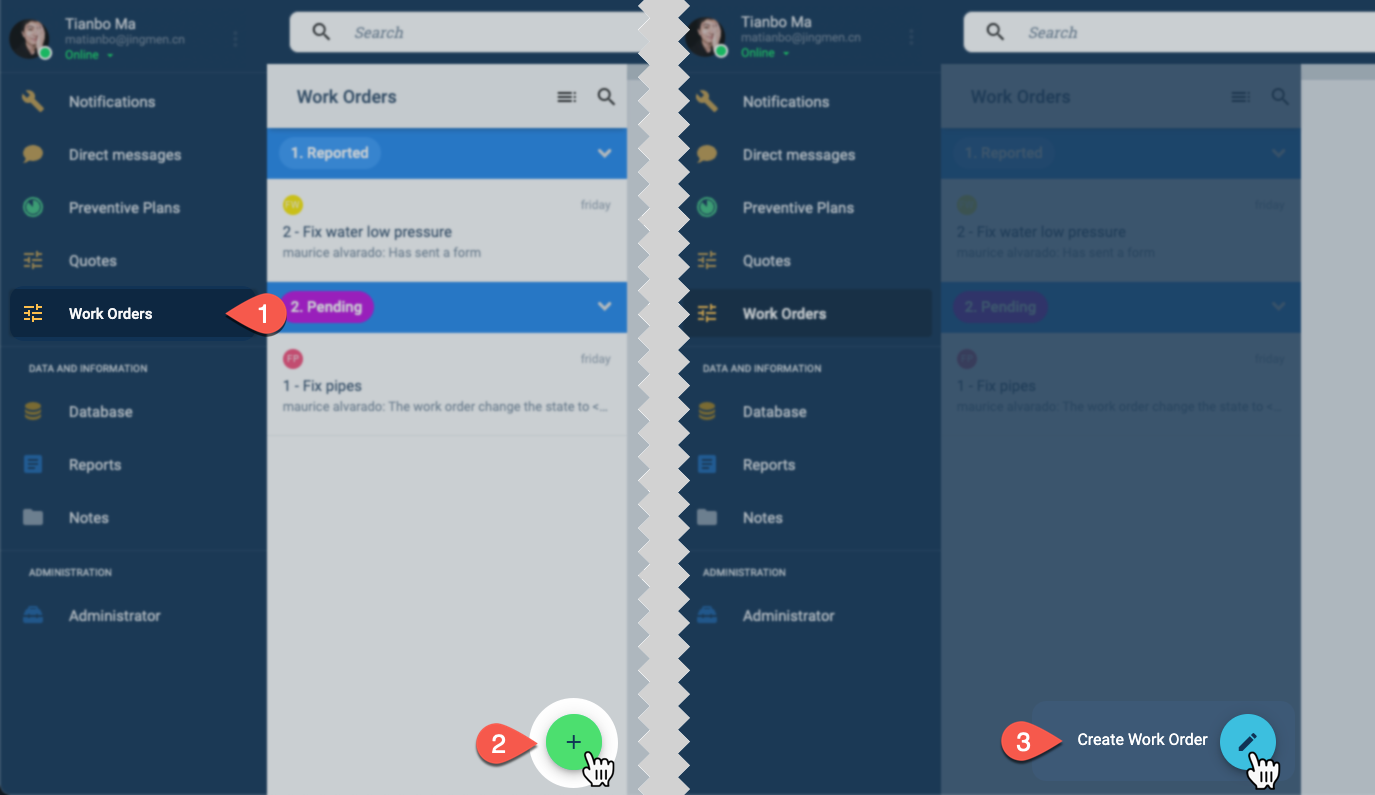
- Press Work Orders in the Main Menu Bar.
- In the Work Orders panel, press the green action button.
- Press the Create Work Order button. The corresponding form appears as shown below.
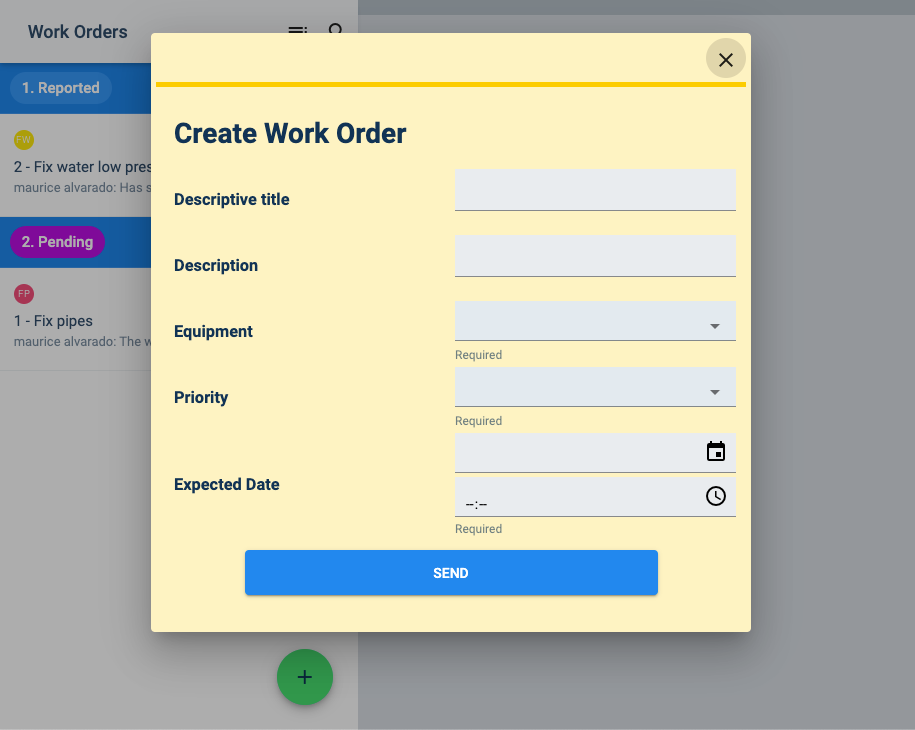
The form asks for detailed information concerning the maintenance task at hand. Once submitted, the workflow initiates and is set to the first state, i.e., reported. Simultaneously, the form is sent to technical teams or contractors to request their services.
Next Step
After creating the work order, maintenance personnel review it and can choose to accept it or not with the Accept Work Order form.