Purchase Orders Workflow
Purchase orders will be put under the rules of a specific release strategy for approval before being sent to a supplier. The release strategy applied to the purchase order will depend on the company area in which it was created.
The workflow is currently set to carry purchase order requests through up to three levels of approval if they fall within certain price ranges. Price ranges can be easily set to your company's needs.
A different releaser, i.e., person in charge of approving purchase orders, can be assigned to each company's release levels. Every time a purchase order enters a release level, the corresponding releaser is added to the channel.
For more information on release strategies and how to configure them, go to the Release Strategy Configuration section.
Accessing the Form
When releasers are needed to review a purchase order request, they can open the following Release Form:
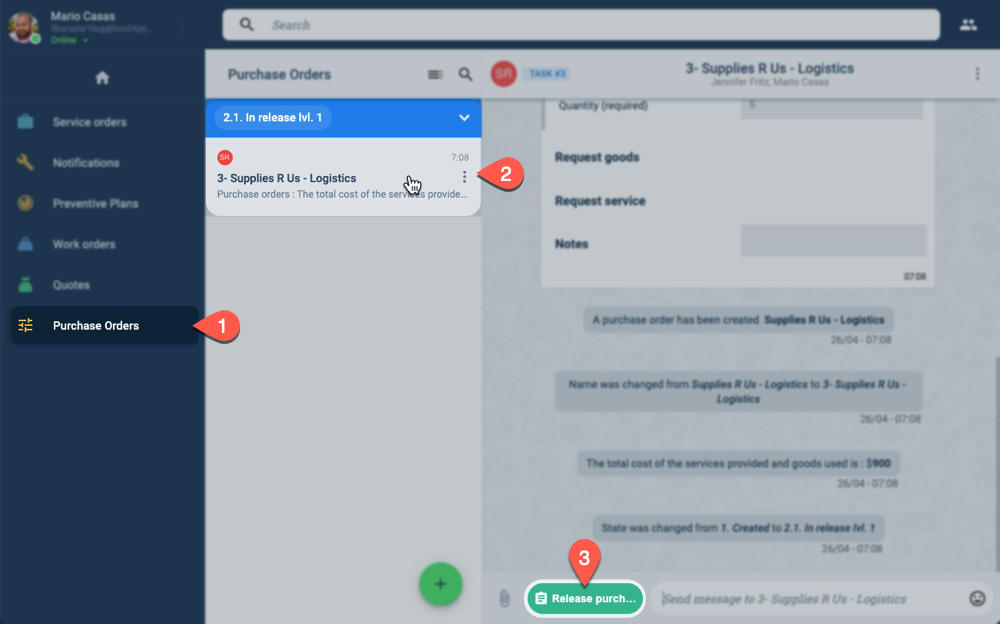
- On the Main Menu Bar, press Purchase Orders.
- Choose the purchase order to be reviewed from the Purchase Orders panel.
- From the channel workspace, press the Release Purchase Order button.
Form Layout
The Release Purchase Order form appears as shown below:
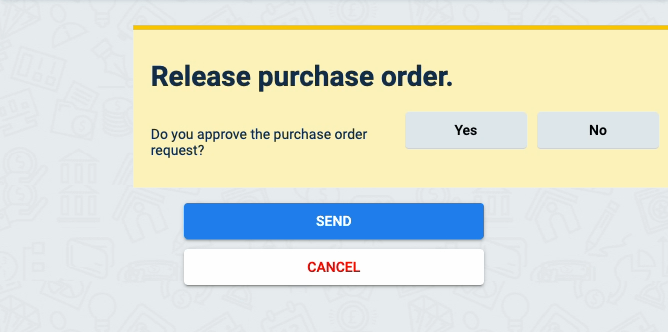
After choosing to approve the purchase order request, a field for the releaser's signature appears:
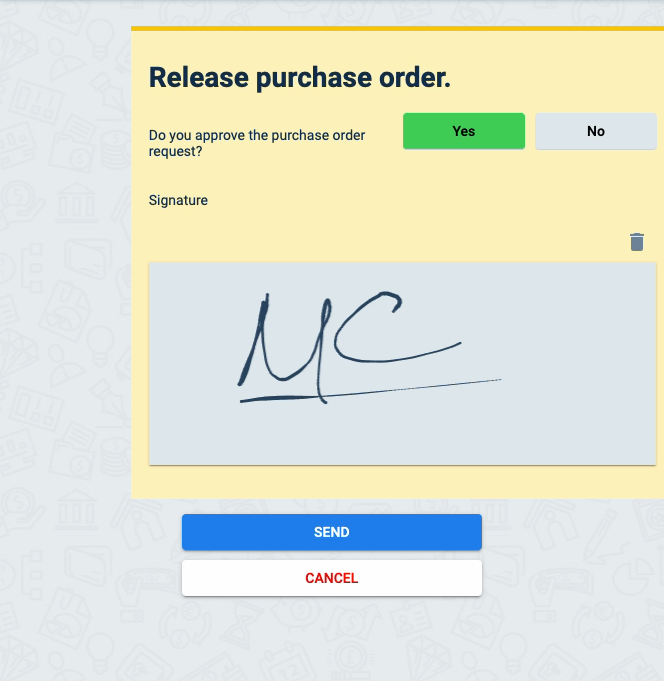
If approved, the signature will appear on the automatically generated purchase order PDF document.