Service Quotations Workflow
Overview
The Request Quotation form is a public survey or external form powered by Cotalker. Through a public survey form, a client or prospect, i.e., any external user, can fill out a Request Quotation form without needing to be registered on a Cotalker platform. External users can access the form either through a shared link or can be found embedded on a webpage.
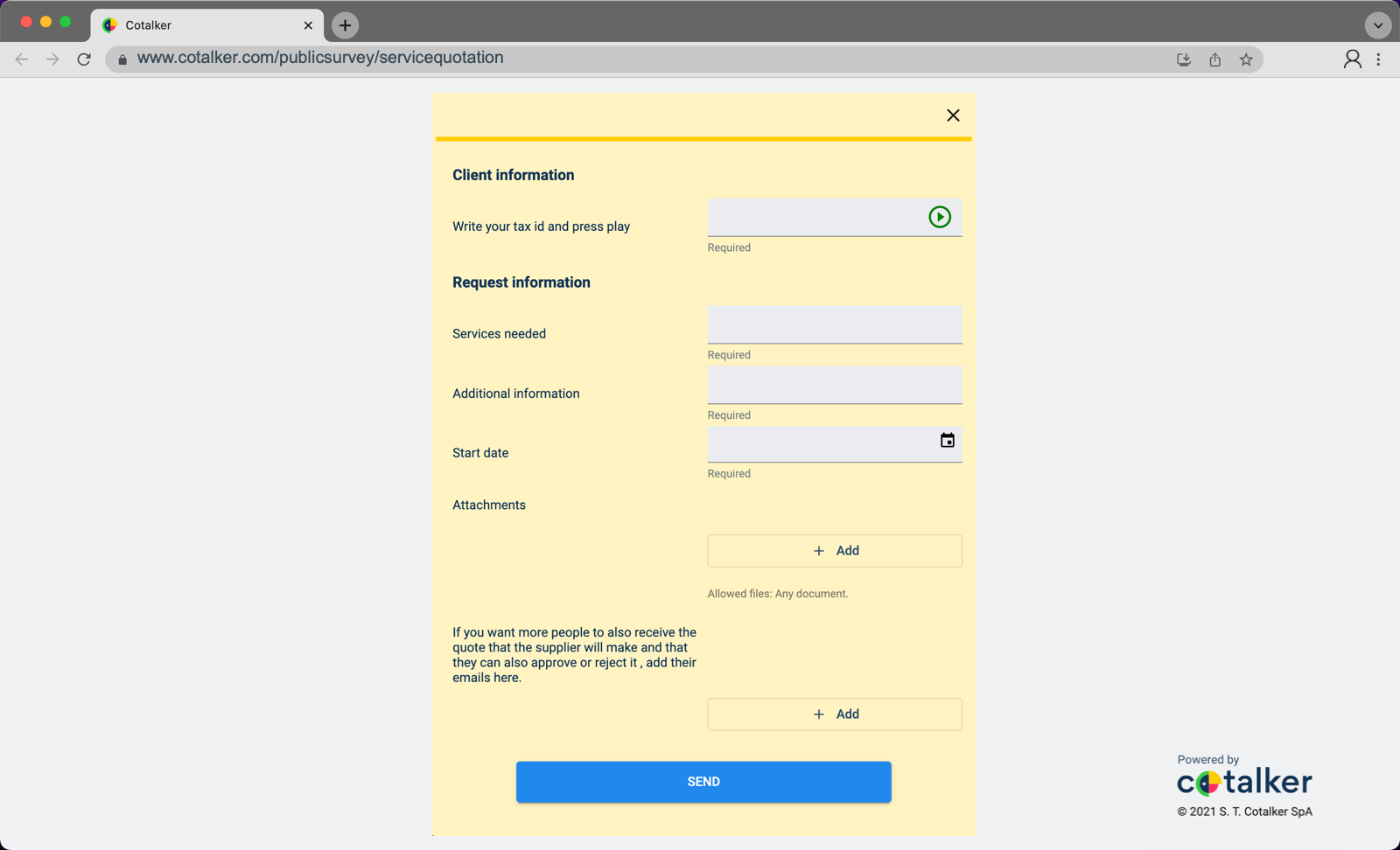
Even though the form is accessed outside the Cotalker platform, it has a secure connection to the database. This guarantees that master data and client information are available when filling out the form.
First-time users get their data stored into the database. Meaning that by just entering their tax id number the next time they open the form, all their contact information is automatically entered into the corresponding fields. The data can be edited if necessary, and all changes will be saved.
Layout
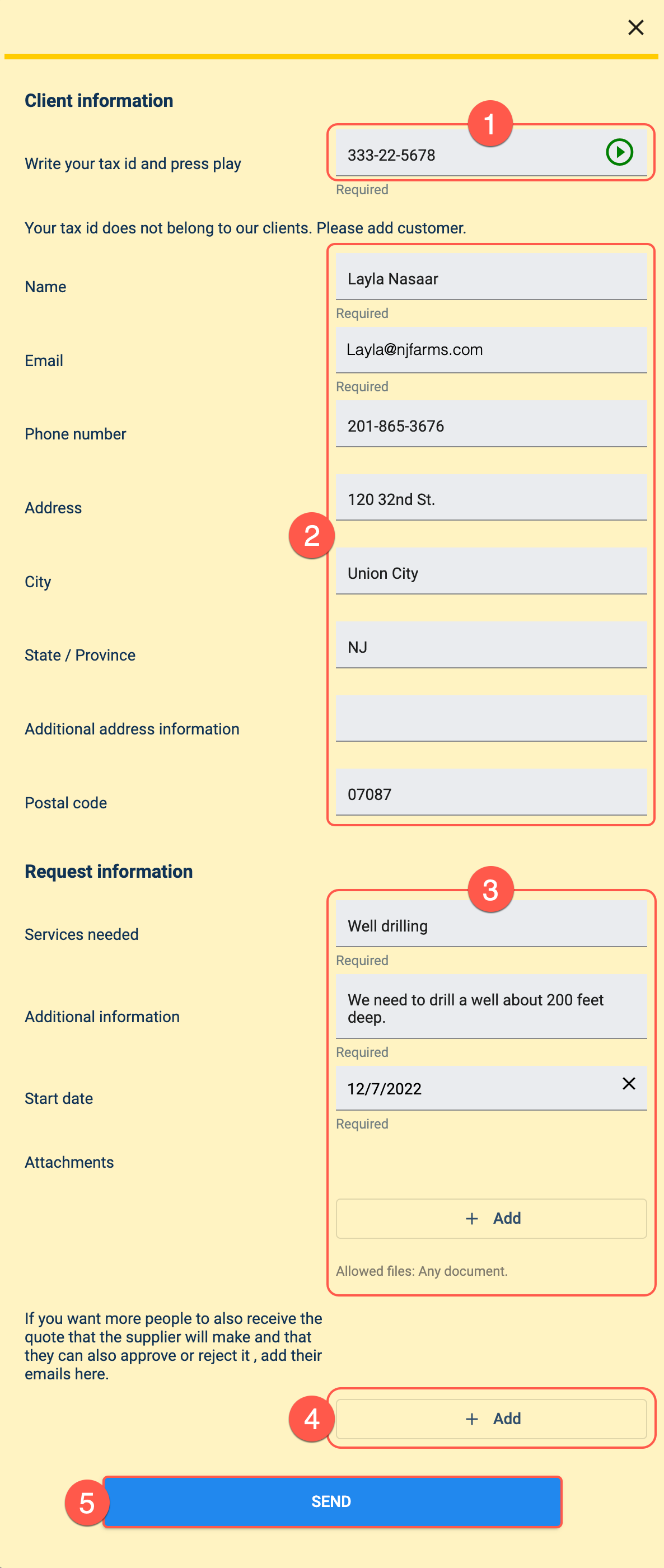
- Tax Id: This field stores the client's tax id number. By pressing the play button, the form will check if the client has been registered in the service provider's database. If the client has submitted this form previously, the rest of the fields will be filled in automatically.
- Client information: If the client is registered in the database, these fields are automatically completed and can be edited if necessary. First-time users will have to fill out this section manually.
- Request information: These fields provide the service provider with the requirements of the service that is being requested.
- Add emails: Clients can ask to have the service quotation forwarded to other emails. Along with being able to view the service quotation, recipients will be able to accept or reject the proposal.
- Send: By pressing send, the Service Quotation workflow is initiated. The service provider will receive a notification of the quotation request and can then return an answer.
In the next step, the service provider must either accept or reject the request.